
The honest part first: the sample case reaches sign-off with an uncertified calculation. Where TaxOrch has not certified the rules for a country and year, the calculation step declines and the workpapers carry no computed tax figure. A professional prepares the figures.
Open the case list and create a case
Choose Cases. The list shows each client, its scope (country, tax type, year), status and last update. New case opens a client with those four fields. The sample workspace holds Lena Hoffmann (sample) for Germany, two Priya Nair (sample) cases for the UK (2025 finalised, 2026 open) and Jordan Ellis (sample) for the US.
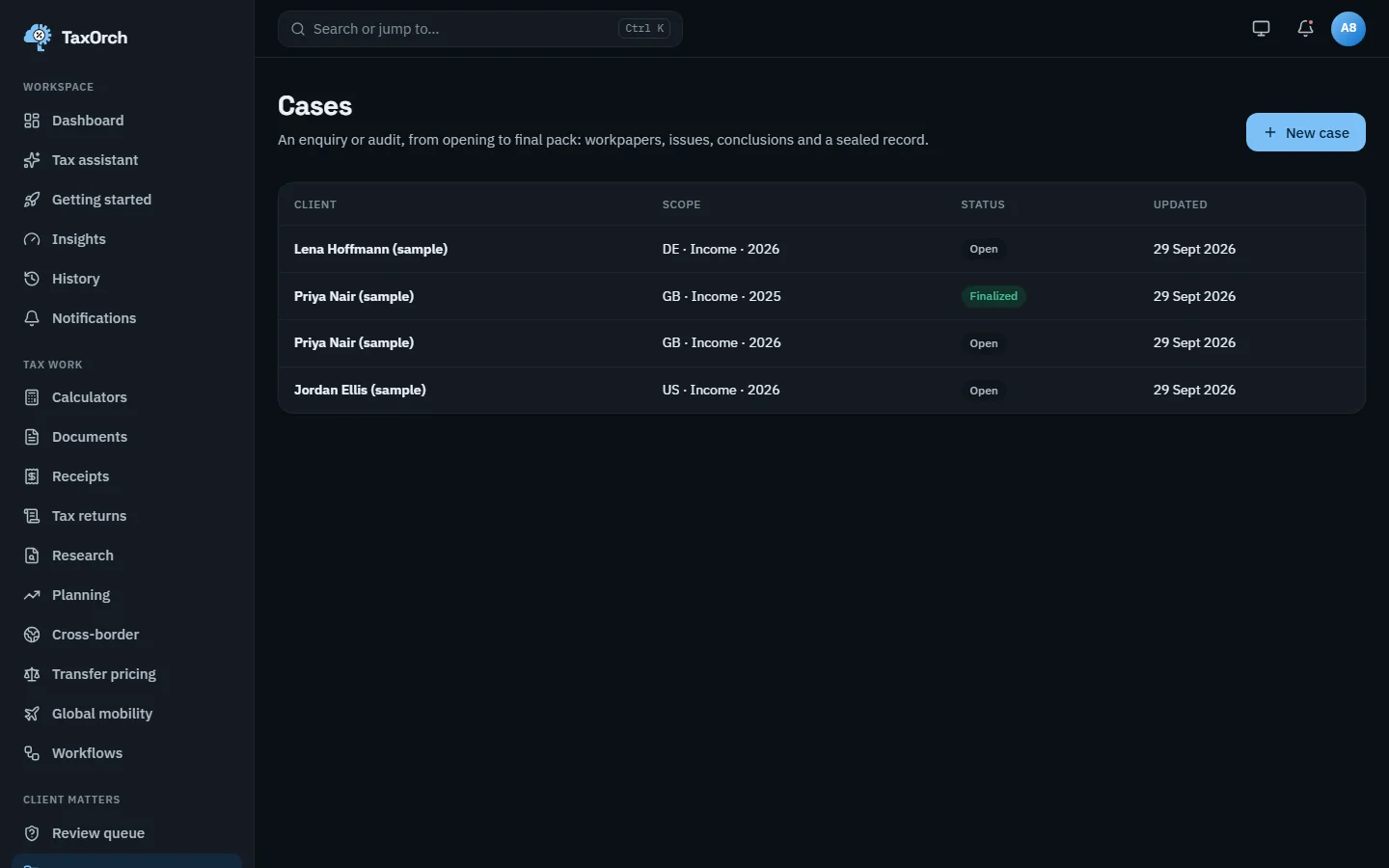
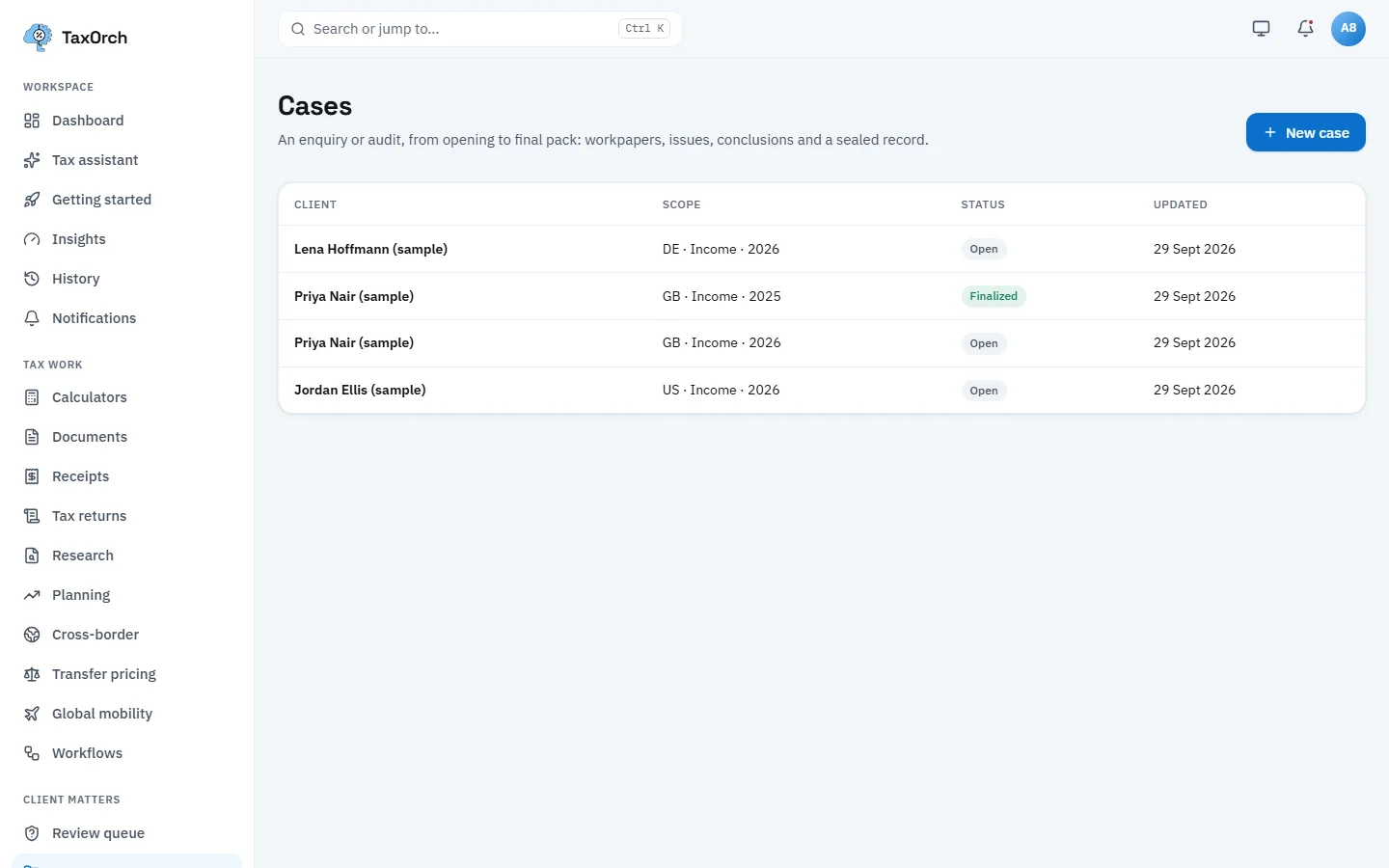
Cases: client, scope, status and last update, with New case in the corner.
Intake interview (workflow step 1)
The intake interview asks the client's questions for that country: filing status, income, residence. Answers are recorded as facts with their origin (client answer, intake). Step 2, Engagement scope, records what the engagement covers and confirms it with the client.
Record the taxpayer's consent (US) (workflow step 2)
A US engagement uses the client's information only under a signed section 7216 consent. On the Consents tab, Record consent stores who signed, in what capacity, the exact wording version and when it ends. Avery Morgan (sample) has a 7216 consent active until 30 September 2027; the banner reads Processing is authorised. The wording carries a Draft wording badge because it is awaiting legal approval.
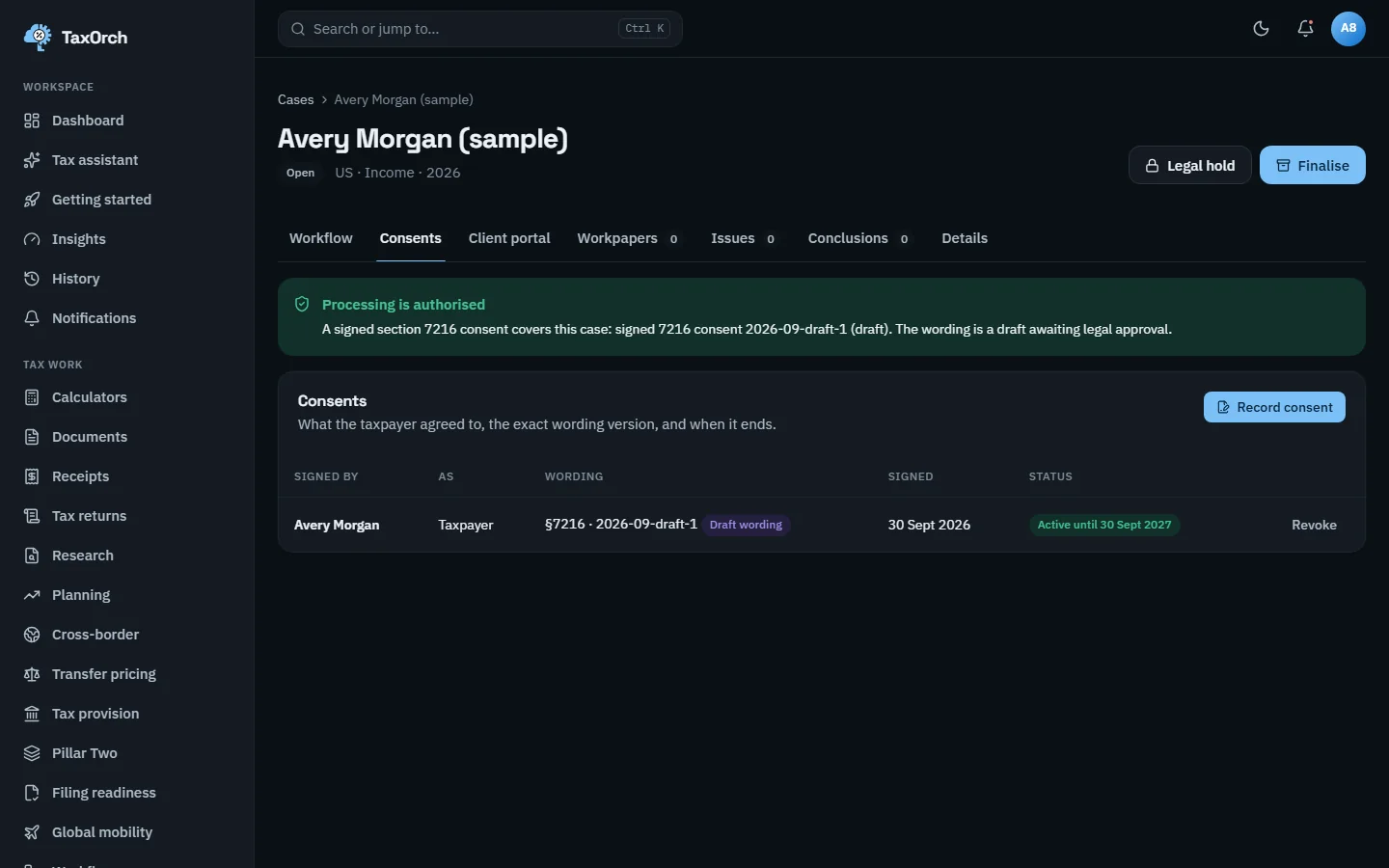
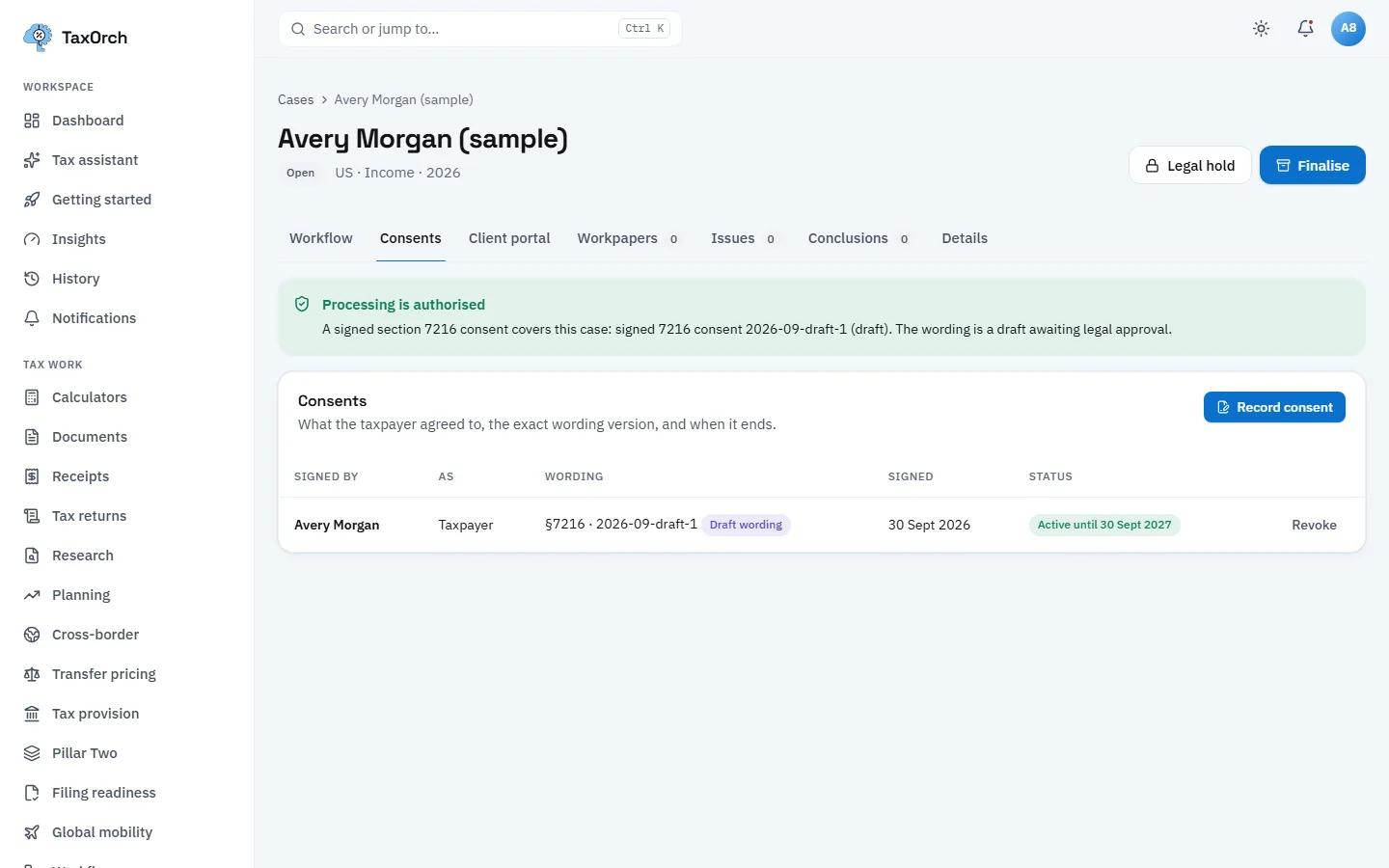
A recorded 7216 consent: signer, wording version, signature date and the date it ends.
Document checklist, and what happens without consent (workflow step 3)
The checklist lists the documents a practitioner asks for in that country. If the consent is missing or revoked, the step is blocked: the screen says Blocked: this step needs the taxpayer's consent, explains why, and offers Open consents and Run again. Nothing proceeds until consent is recorded.
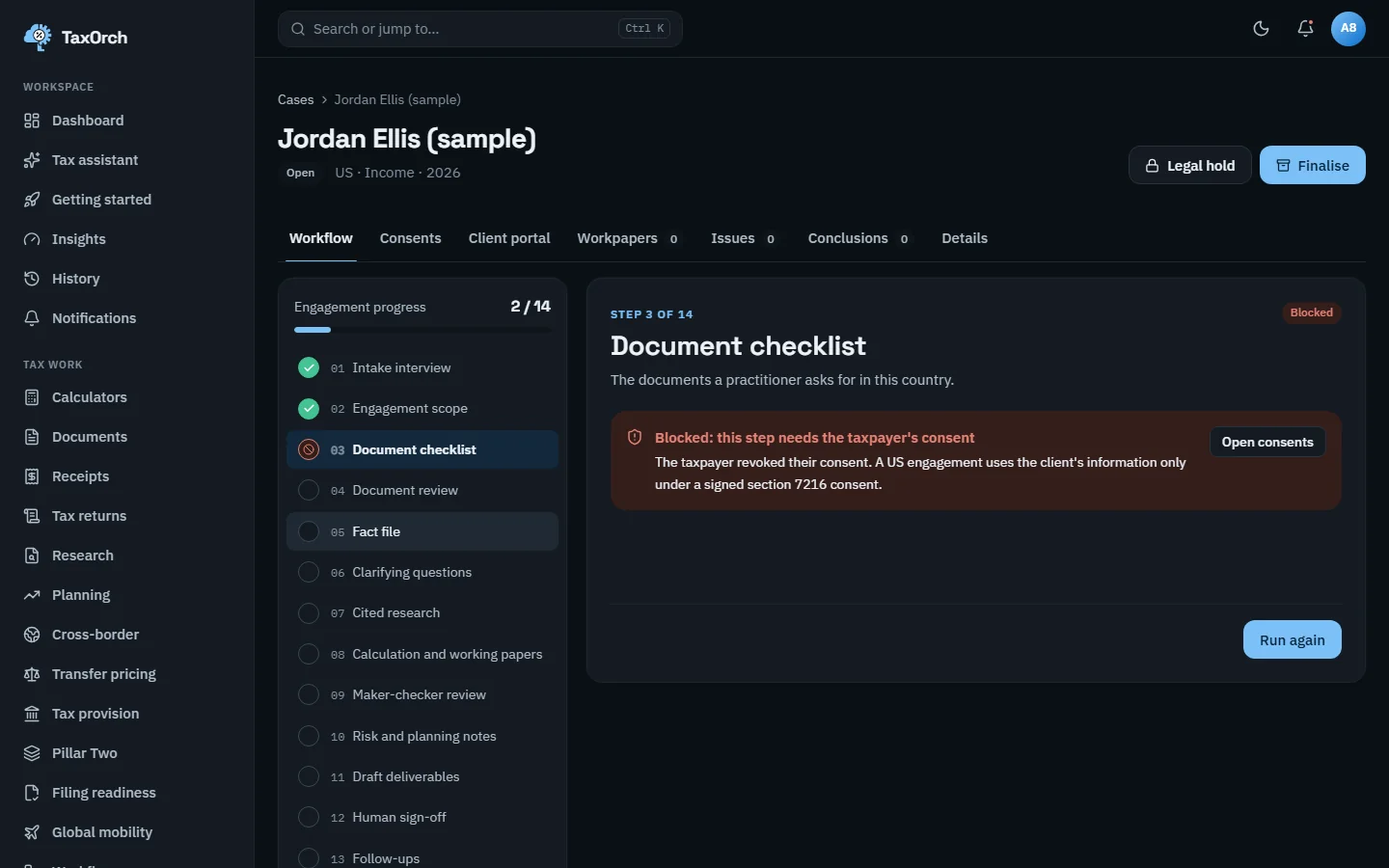
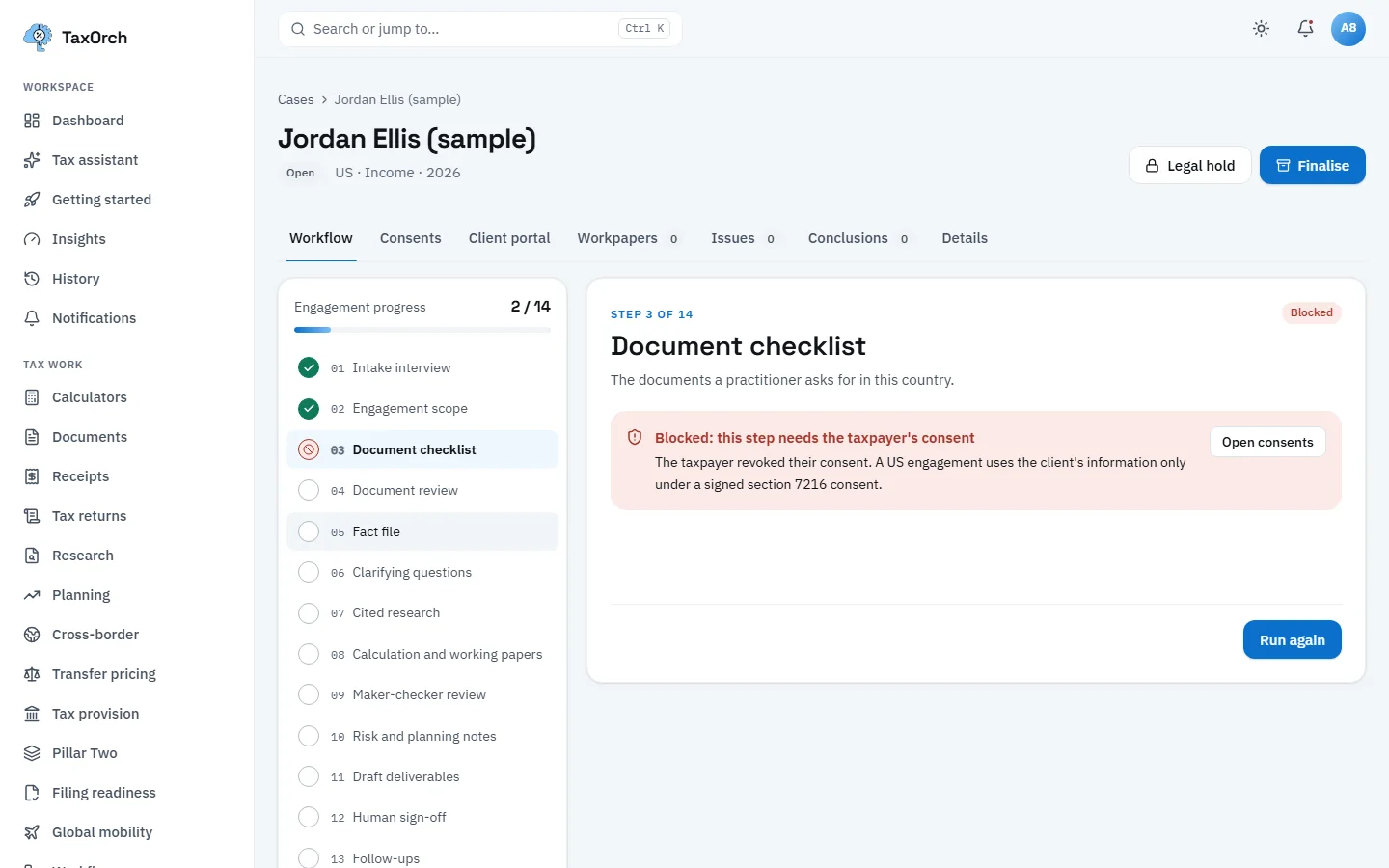
Step 3 blocked: the consent was revoked, so the checklist will not run until it is recorded again.
Document review (workflow step 4)
Each document on the checklist is read and checked: totals add up, dates and parties present. On Jordan Ellis (sample), one US expense document of USD 1,611.00 is read to 100 percent. Chapter 3 covers the reading itself.
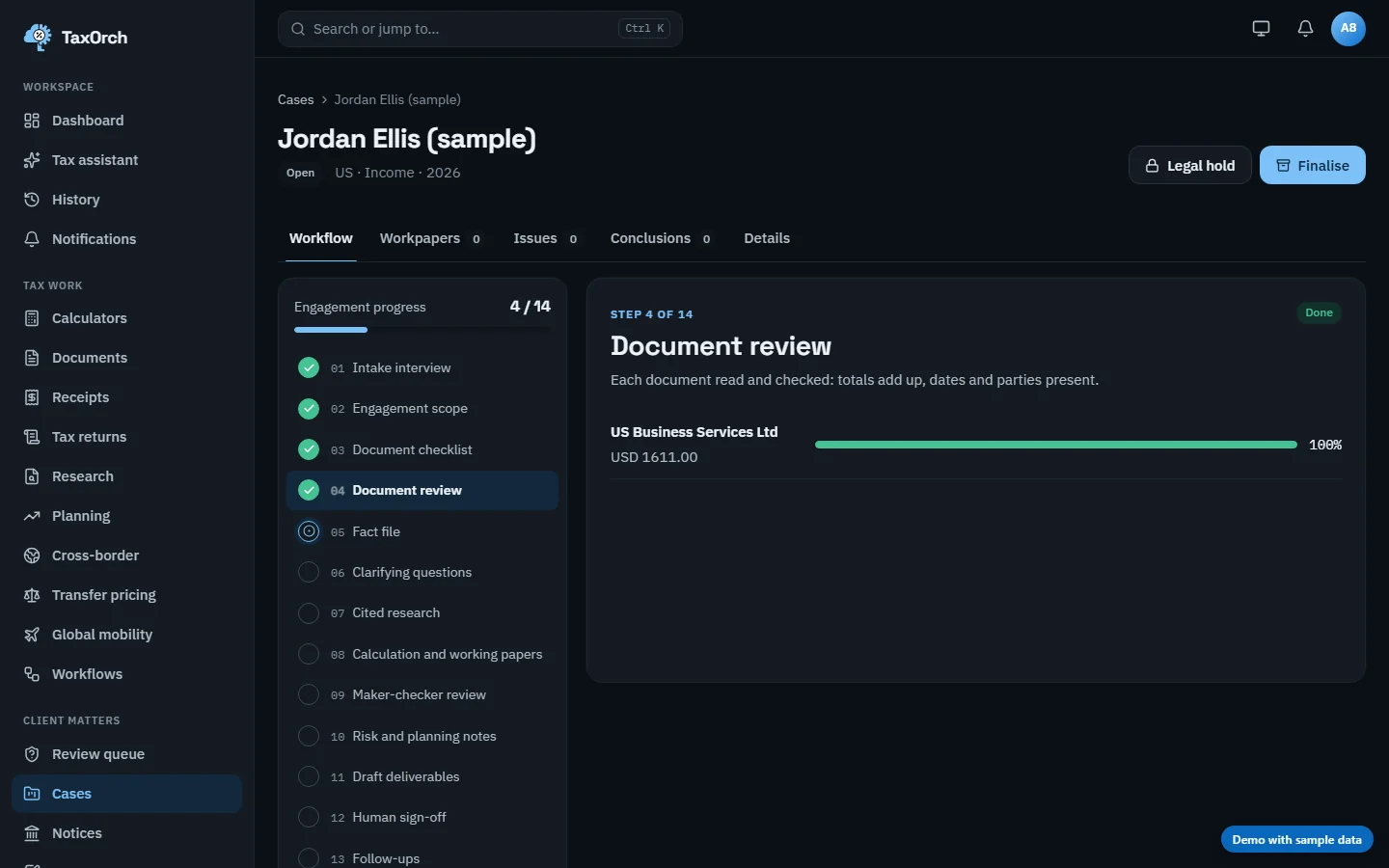
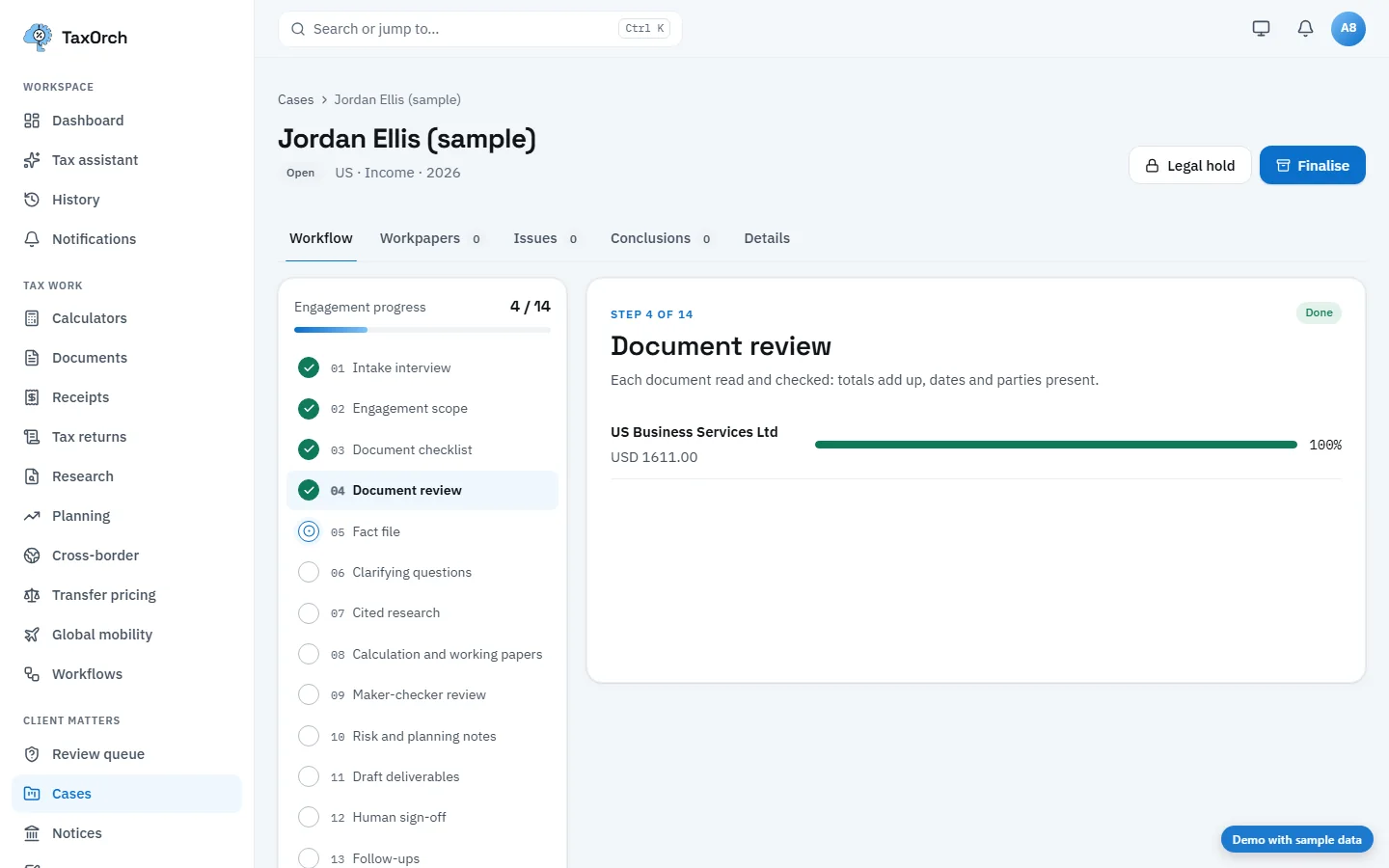
Document review done: one document, fully read.
Fact file (workflow step 5)
Every fact is listed with its value and where it came from. On the sample case: gross income 86,000 and filing status single from the intake, and expense document 207 for 1,611.00 from the document. A reviewer can follow each line back to its evidence.
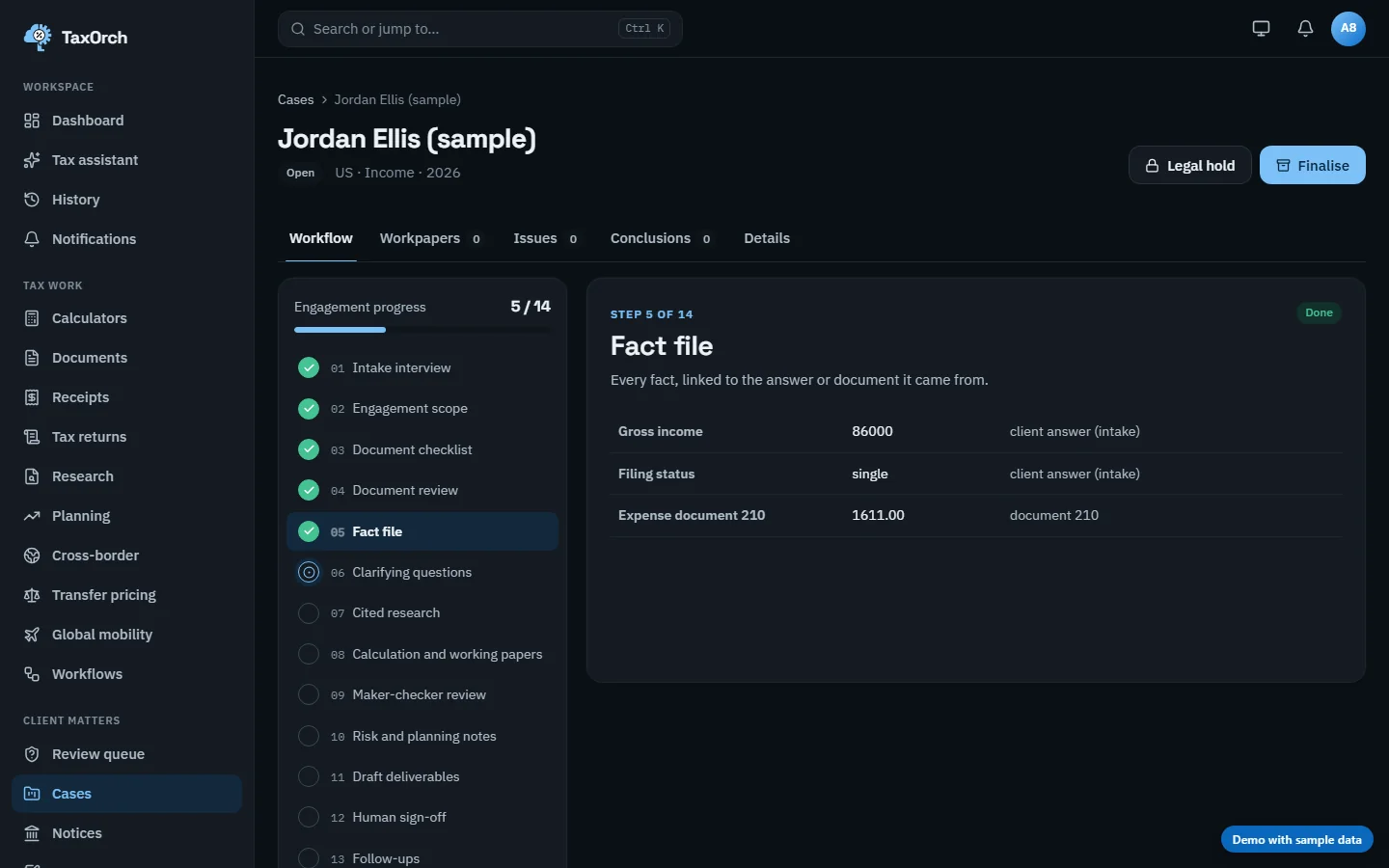
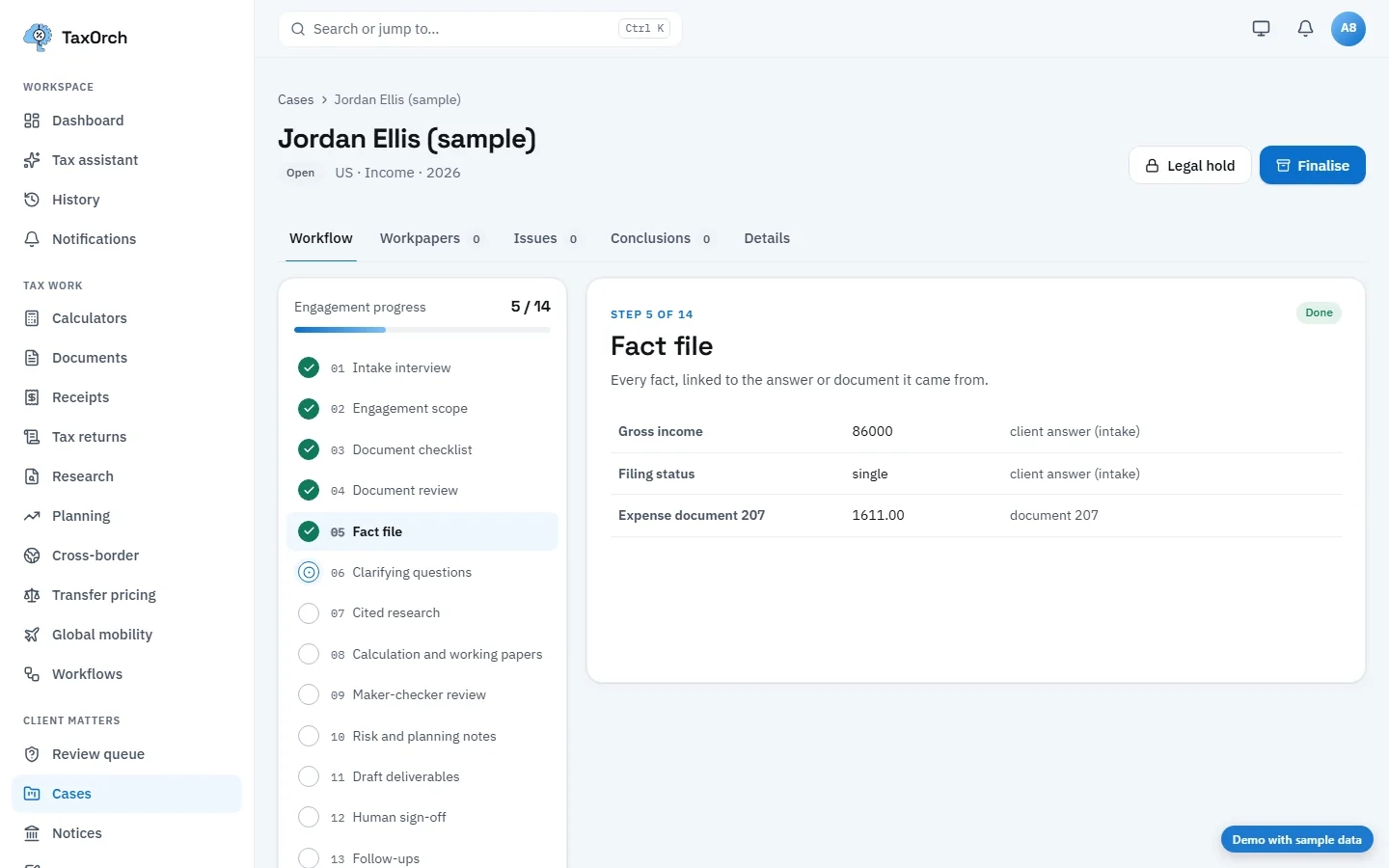
The fact file: each fact, its value, and the answer or document it came from.
Clarifying questions (workflow step 6)
Where the facts leave a gap, TaxOrch drafts the questions to put to the client and records the answers as new facts. Open questions stay visible as a risk note later, and a filing-readiness check counts them.
Cited research (workflow step 7)
The rules that apply are researched with their official source and the assumptions made. For the US case: central-government income tax bands for 2024 (the latest published year, which the screen states) and the personal allowance for 2025, each cited to the OECD, with assumptions listed (resident individual for the whole year, no foreign income unless stated).
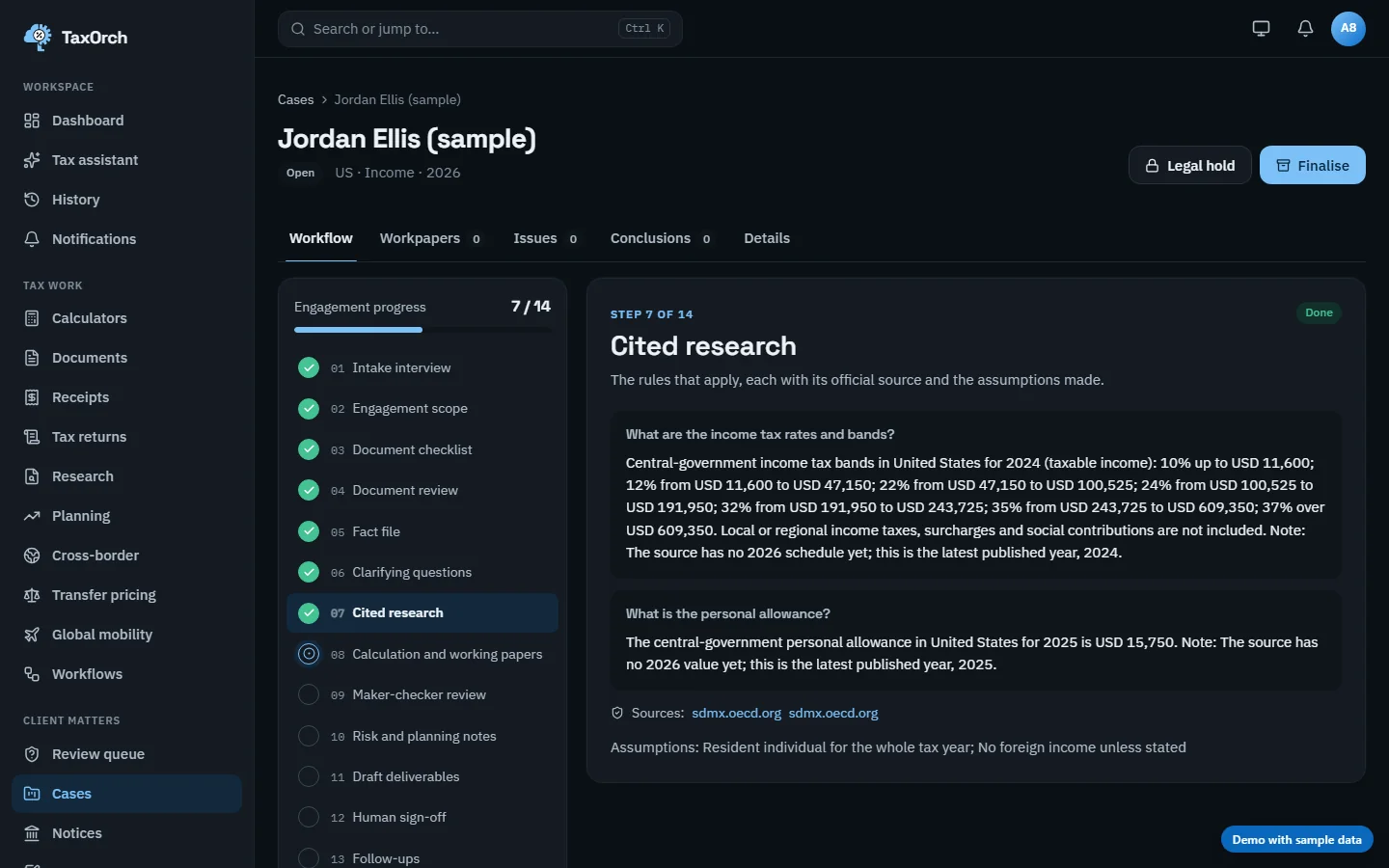
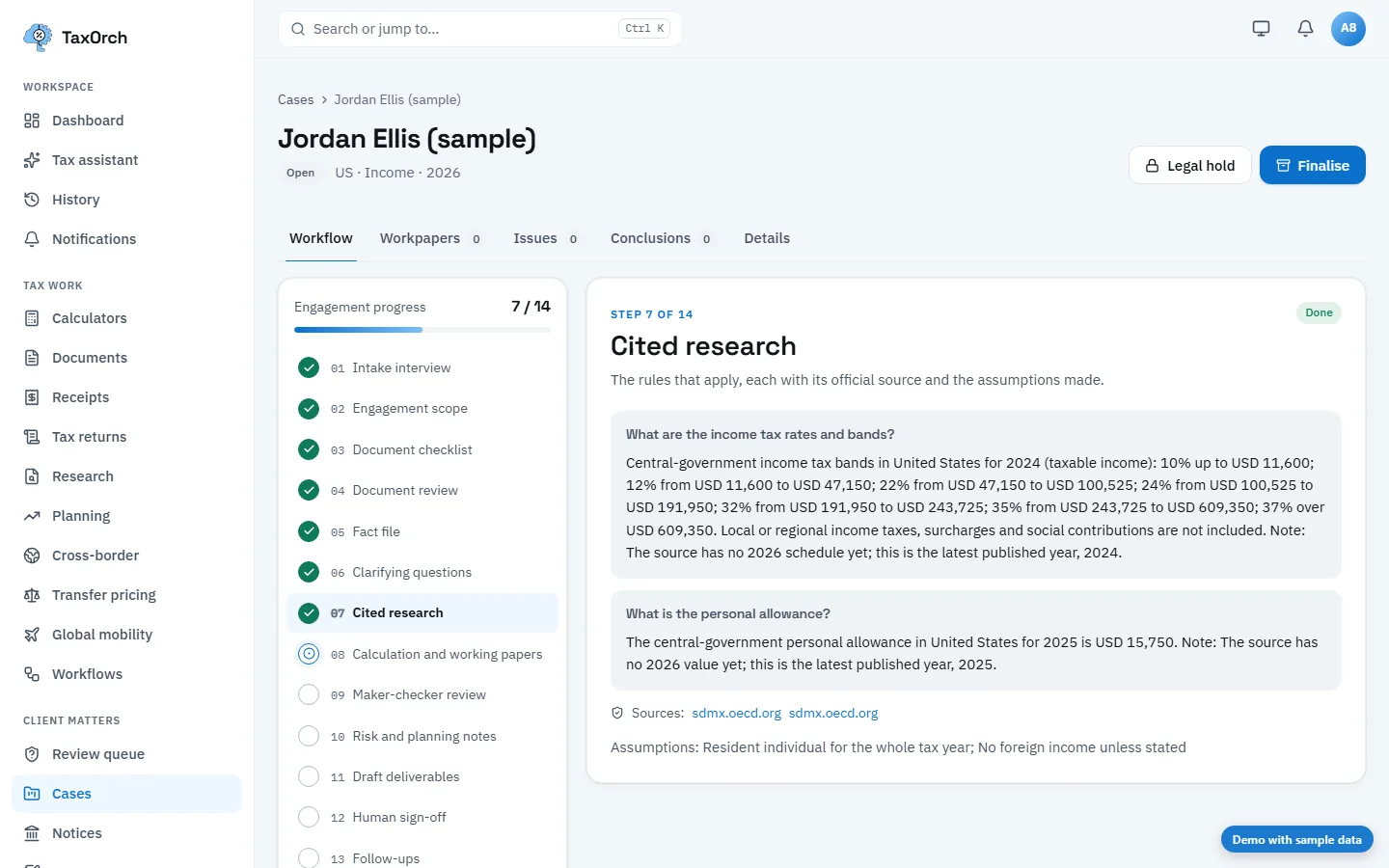
Cited research: the bands, the allowance, the sources and the assumptions, with the latest published year named.
Calculation and working papers, declined until rules are certified (workflow step 8)
TaxOrch computes a figure only from certified rules for that jurisdiction, tax type, entity type and year. Where they are not certified, the step declines. The filing-readiness view for Daniel Reyes (sample) shows the effect: Figures calculated with working papers is Missing, with the reason The rules engine declined: this jurisdiction, tax type, entity type, or tax year is not supported yet. A professional prepares the figures.
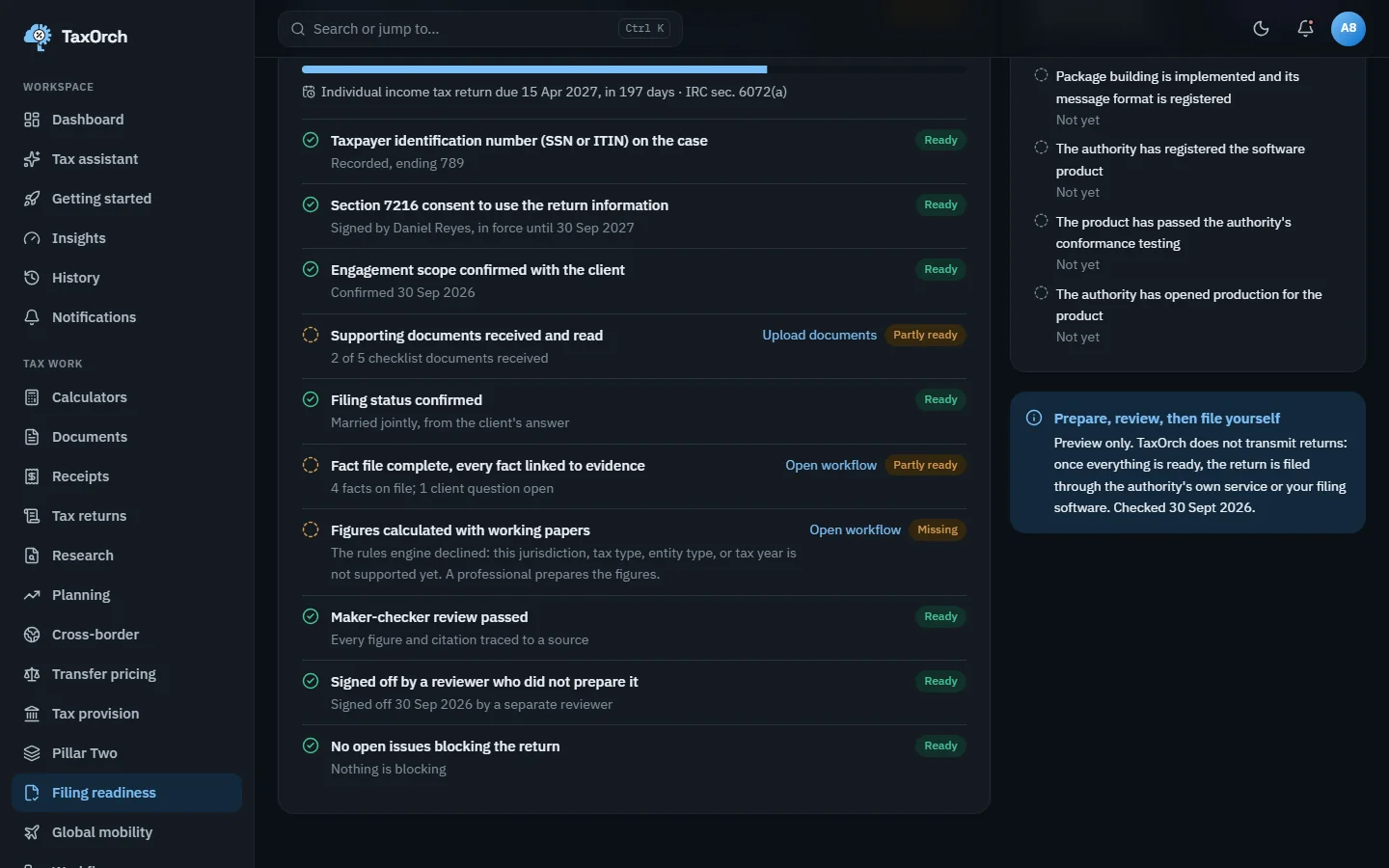
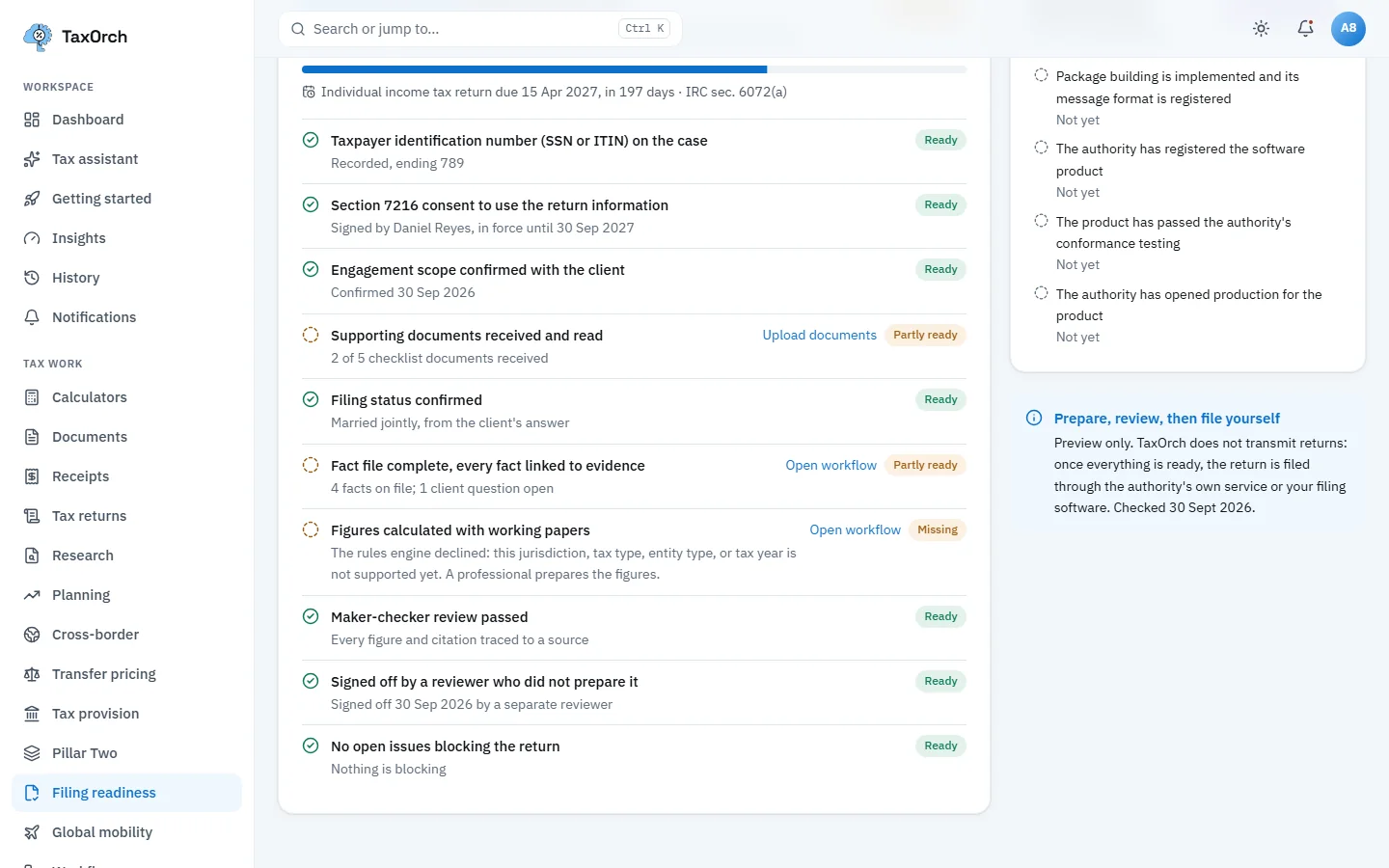
The calculation declined honestly: the readiness check names it Missing and says why.
Maker-checker review (workflow step 9)
A second check confirms that every figure and citation in the draft traces to a source or calculation. On the sample case it passes: Checks passed, checked. Answers the platform would not release on its own go to the Review queue, where each one names why it stopped, what it needs, when it is due and who has claimed it.
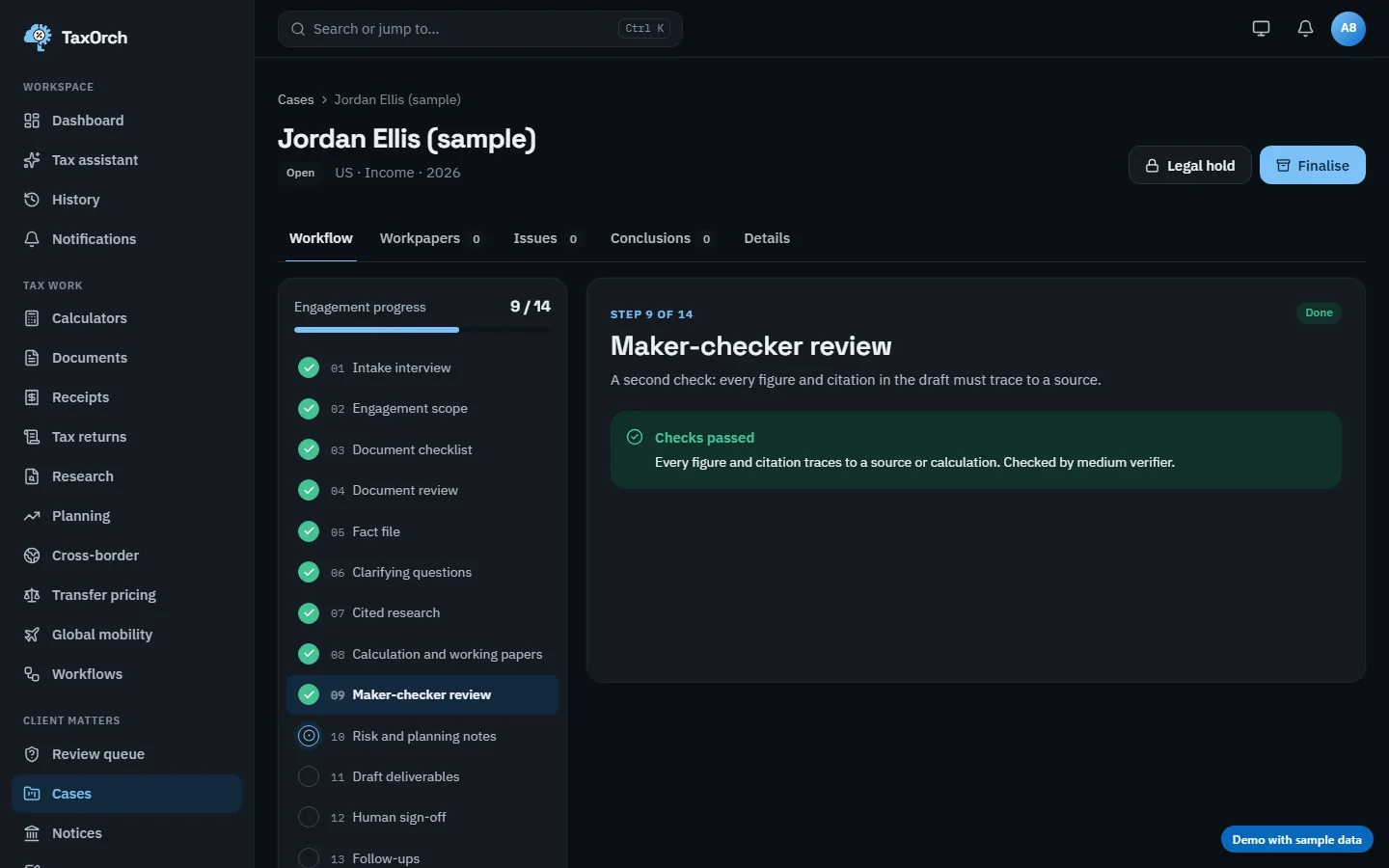
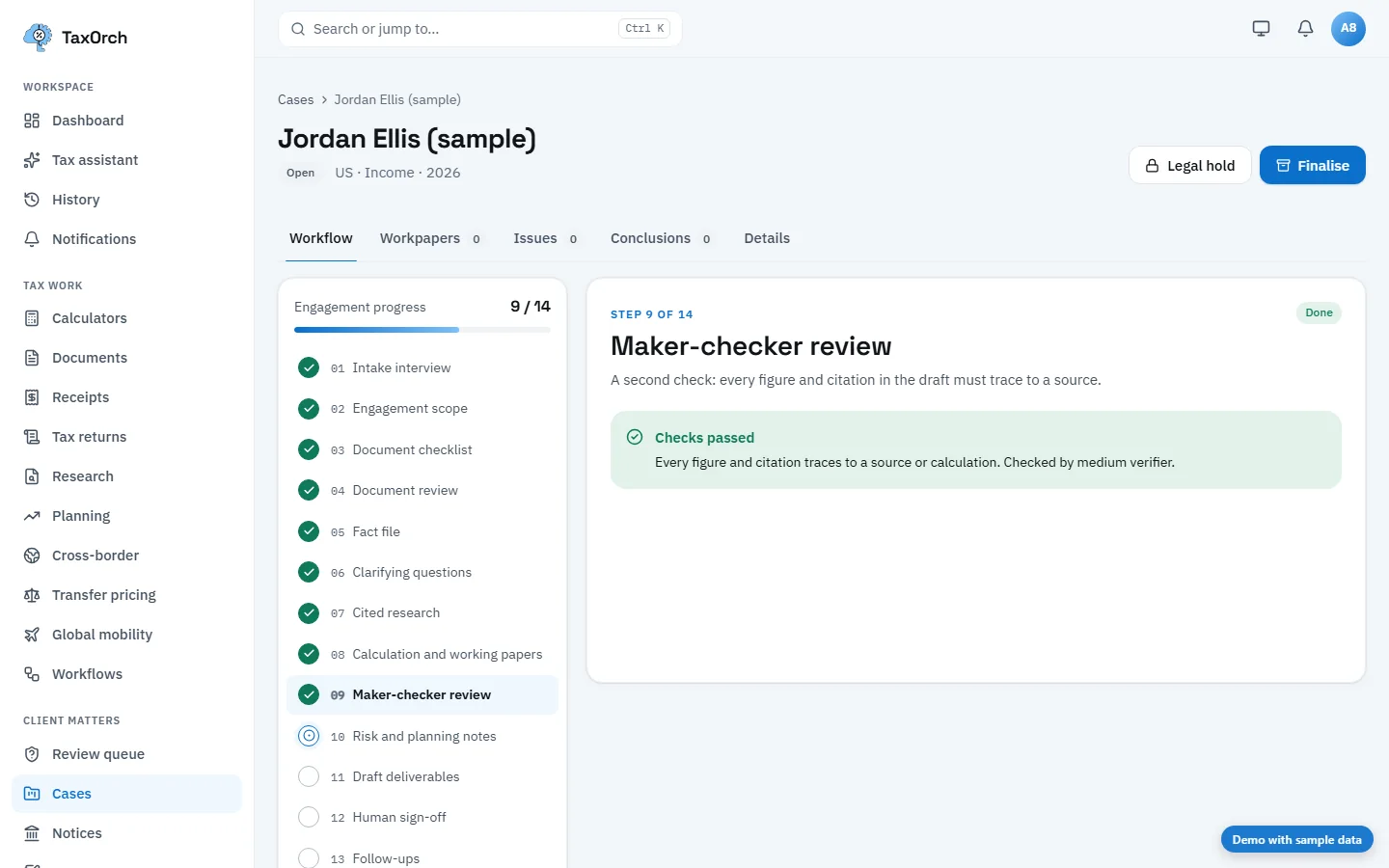
Maker-checker review passed: every figure and citation traces to a source or calculation.
The review queue
The queue shows open, overdue and unclaimed items. Each card names the question, why it stopped (for example, a tax outcome blocked by its legal-data state), what it needs (coverage review), when it is due and who is assigned. The actions are Claim, Release answer, Ask the client and Refuse.
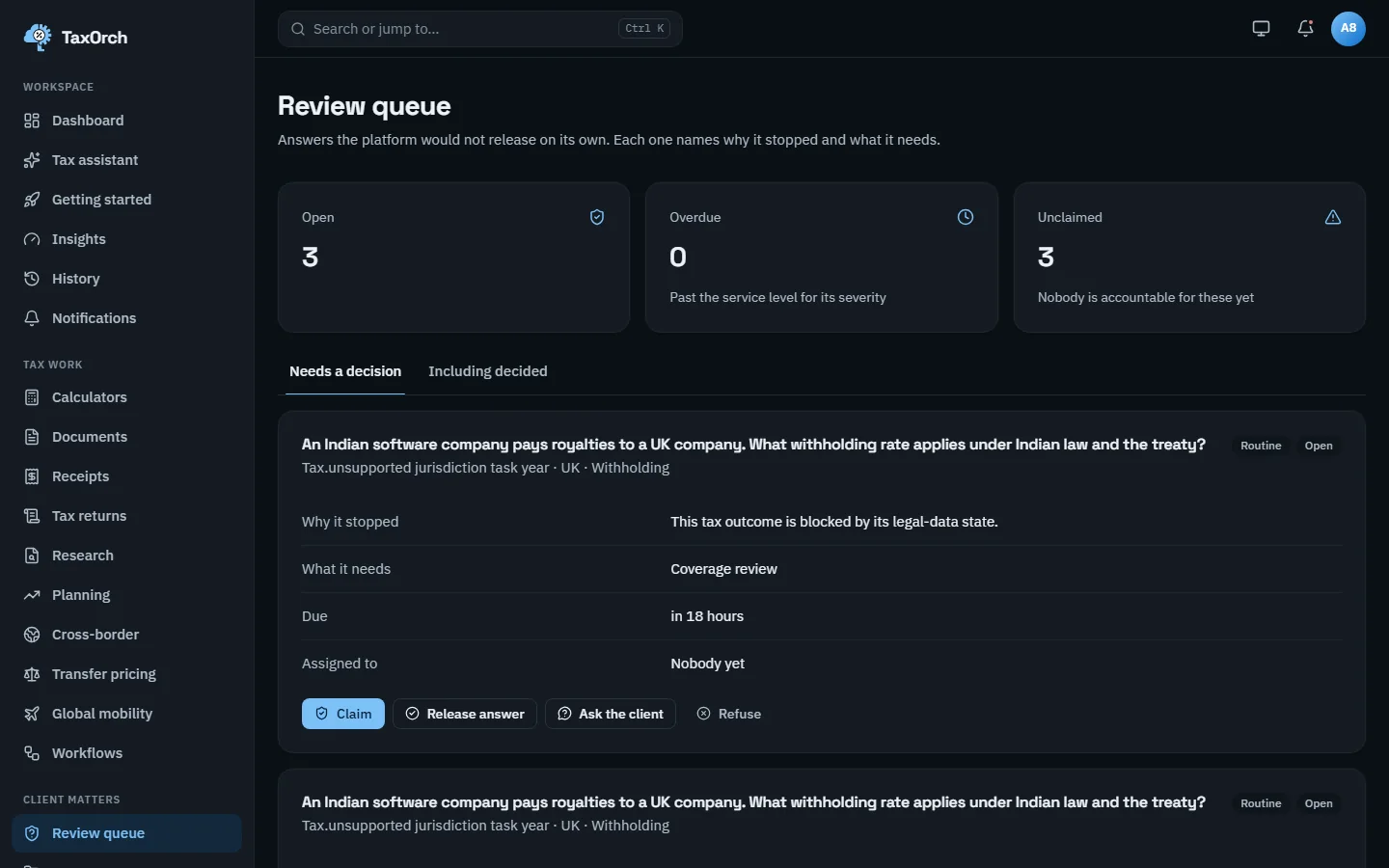
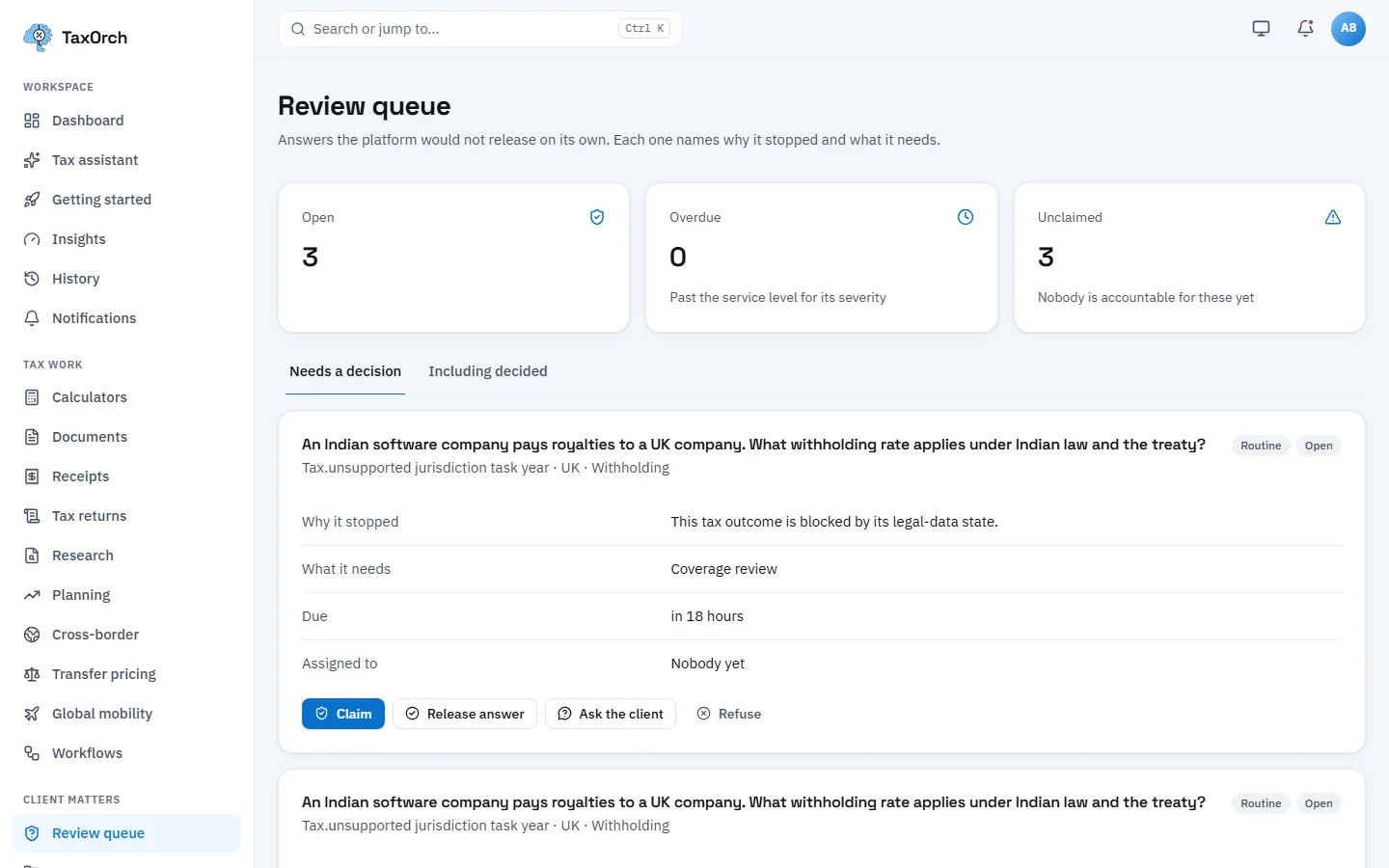
The review queue: why each answer stopped, what it needs, and who is accountable.
Risk and planning notes (workflow step 10)
Where the position is exposed, and lawful planning to consider. The sample case carries three notes: High, no certified calculation for this year, figures need a professional; Medium, open client questions remain; Info, check pension and retirement contribution allowances before the year end (lawful reliefs only).
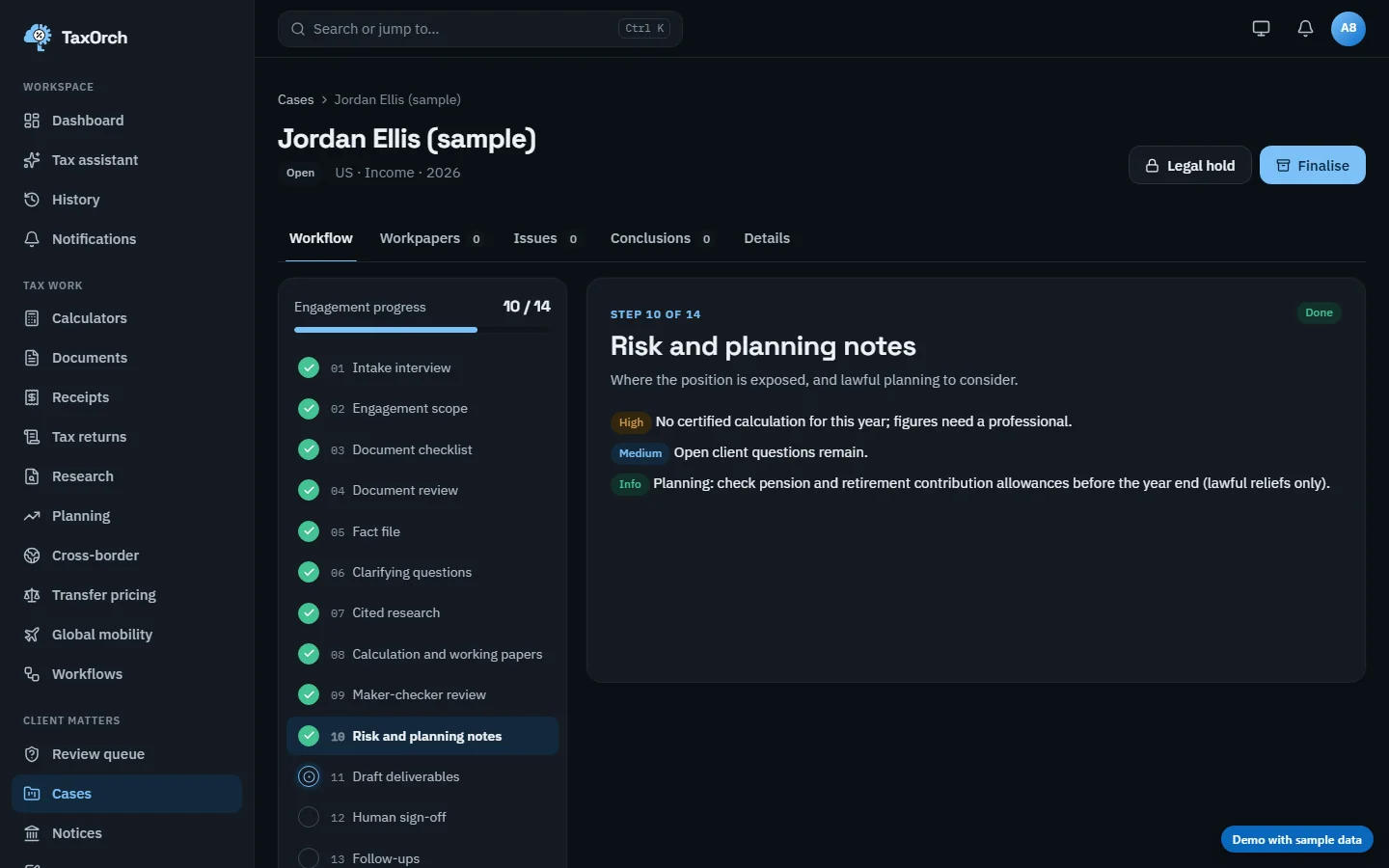
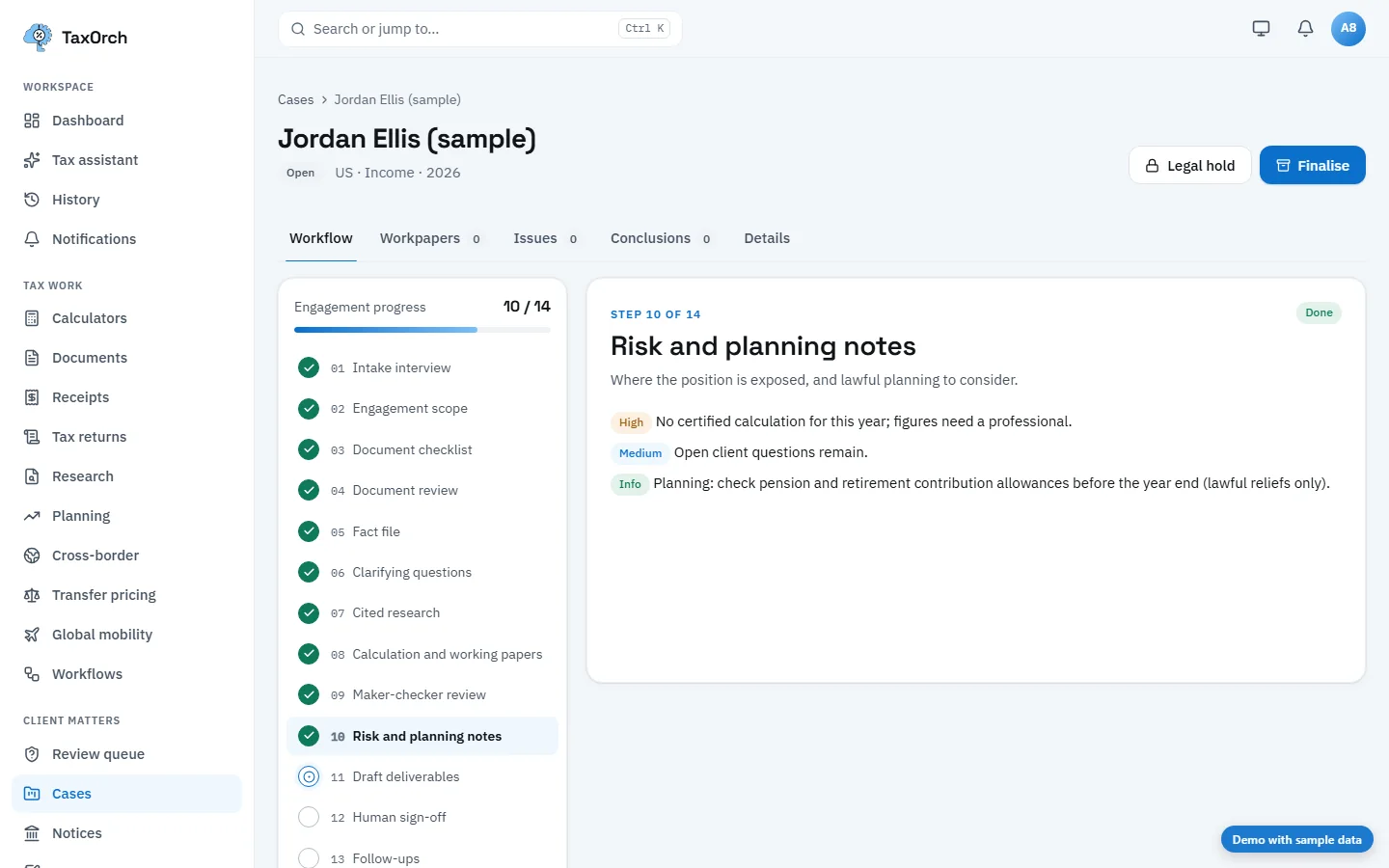
Risk and planning notes, graded High, Medium and Info.
Draft deliverables (workflow step 11)
Four drafts are produced from the checked facts and research: a return summary, a position memo, a client letter and a filing checklist. All four carry a Draft badge. Wording is a draft for a professional to review before it is sent; nothing is sent from this step.
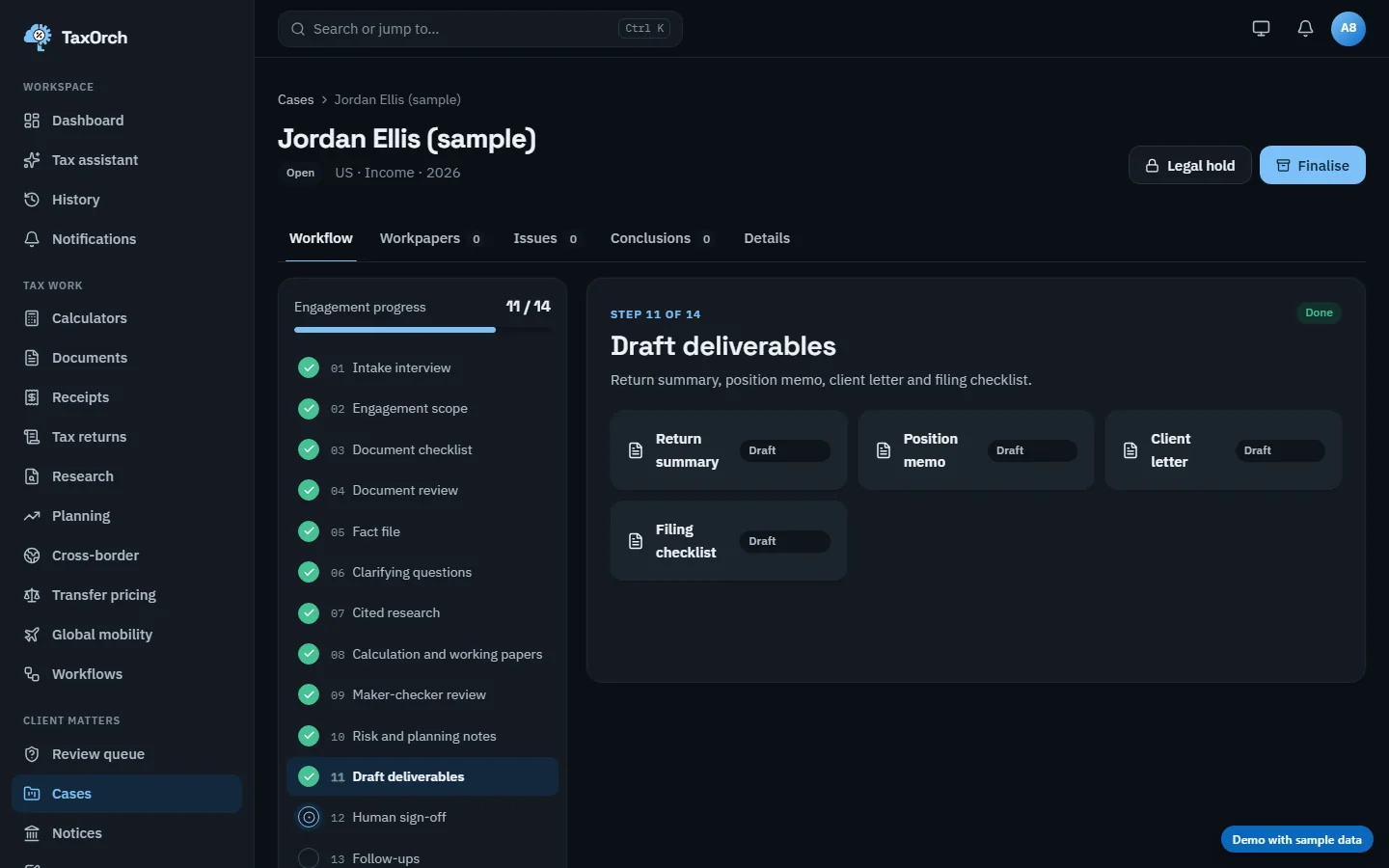
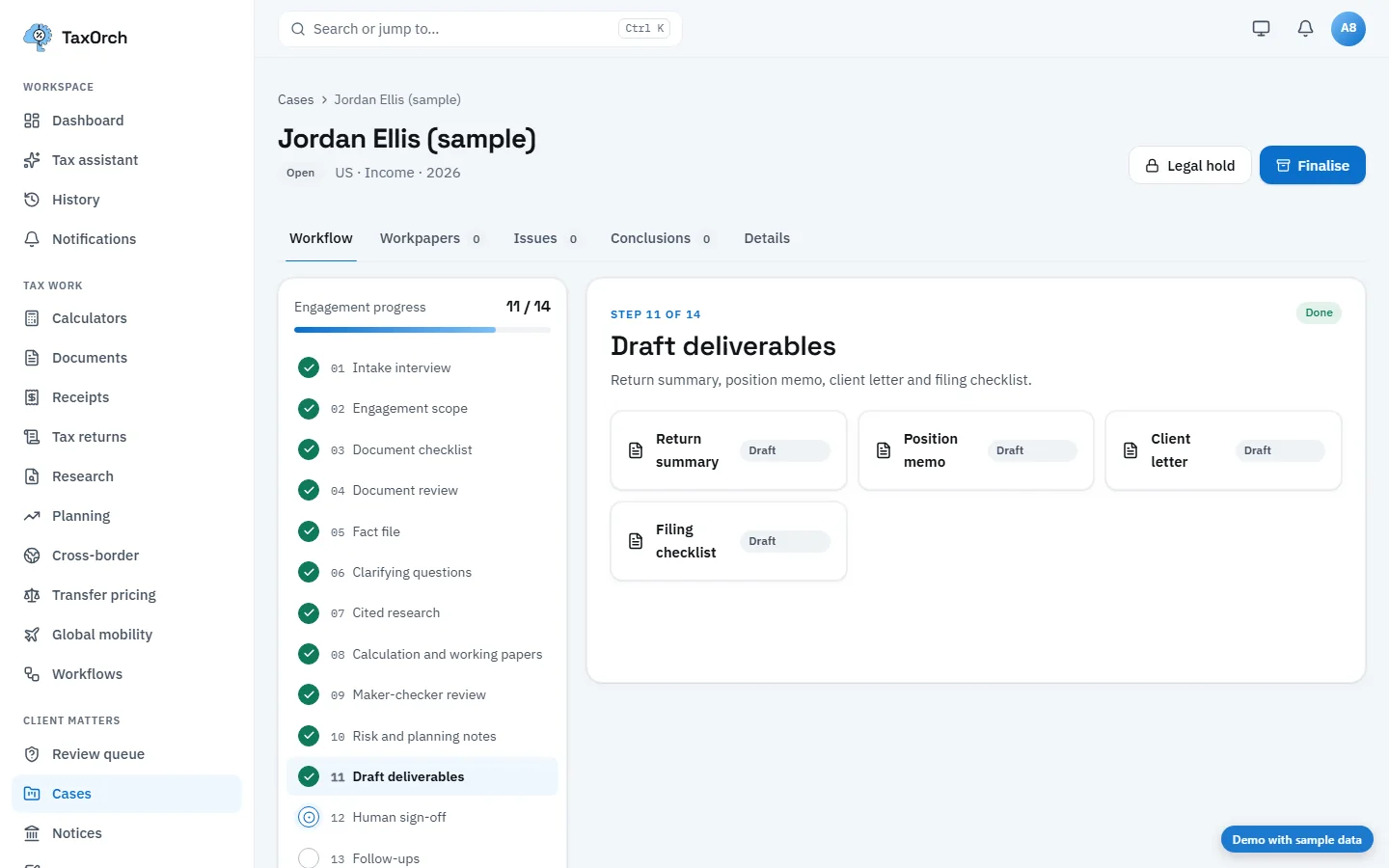
Draft deliverables: return summary, position memo, client letter and filing checklist.
Human sign-off by a separate reviewer (workflow step 12)
High-risk or uncertain work waits for a qualified professional. The person who prepared the deliverables cannot sign them off: on the Sample Client case the step reads Needs a different reviewer and states what it is waiting on (high risk, uncertified calculation). A different reviewer records the sign-off; on Jordan Ellis (sample) the step then reads Signed off.
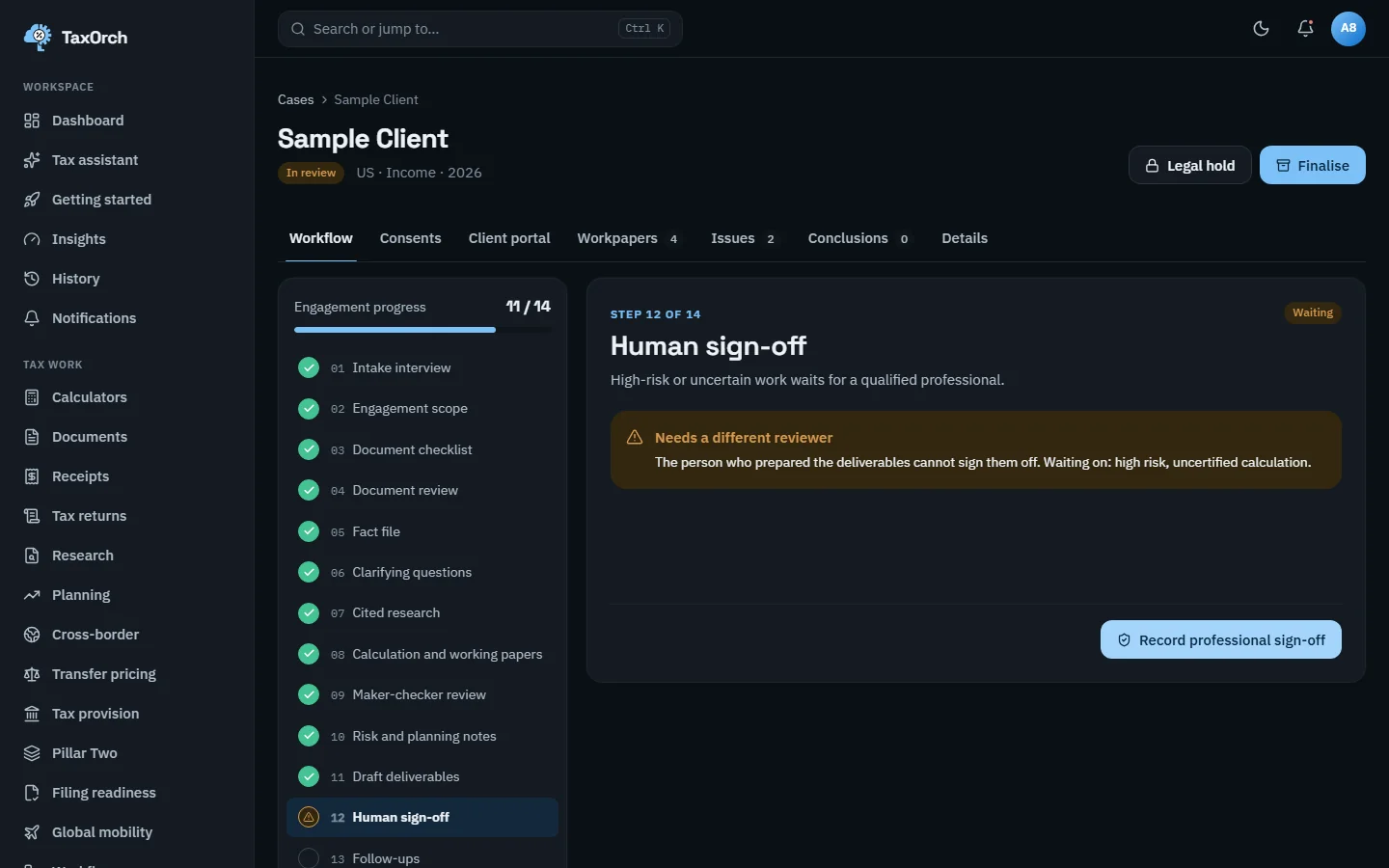
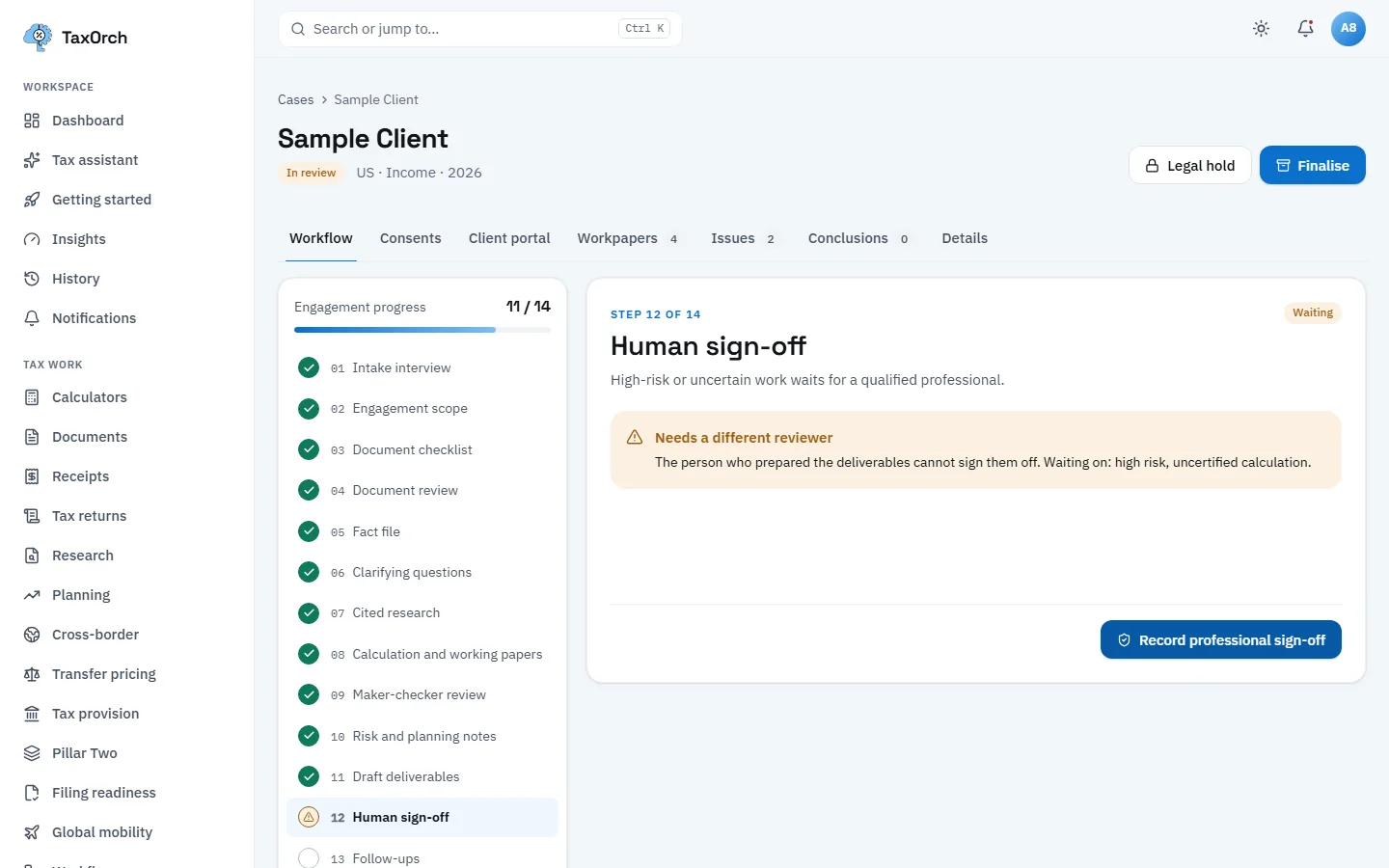
Sign-off refused to the preparer: a different reviewer has to record it.
The signed-off state
After the separate reviewer records it, the step shows Signed off with the grounds (high risk, uncertified calculation). The case status changes to In review and the sign-off is recorded in the audit trail with who signed and when.
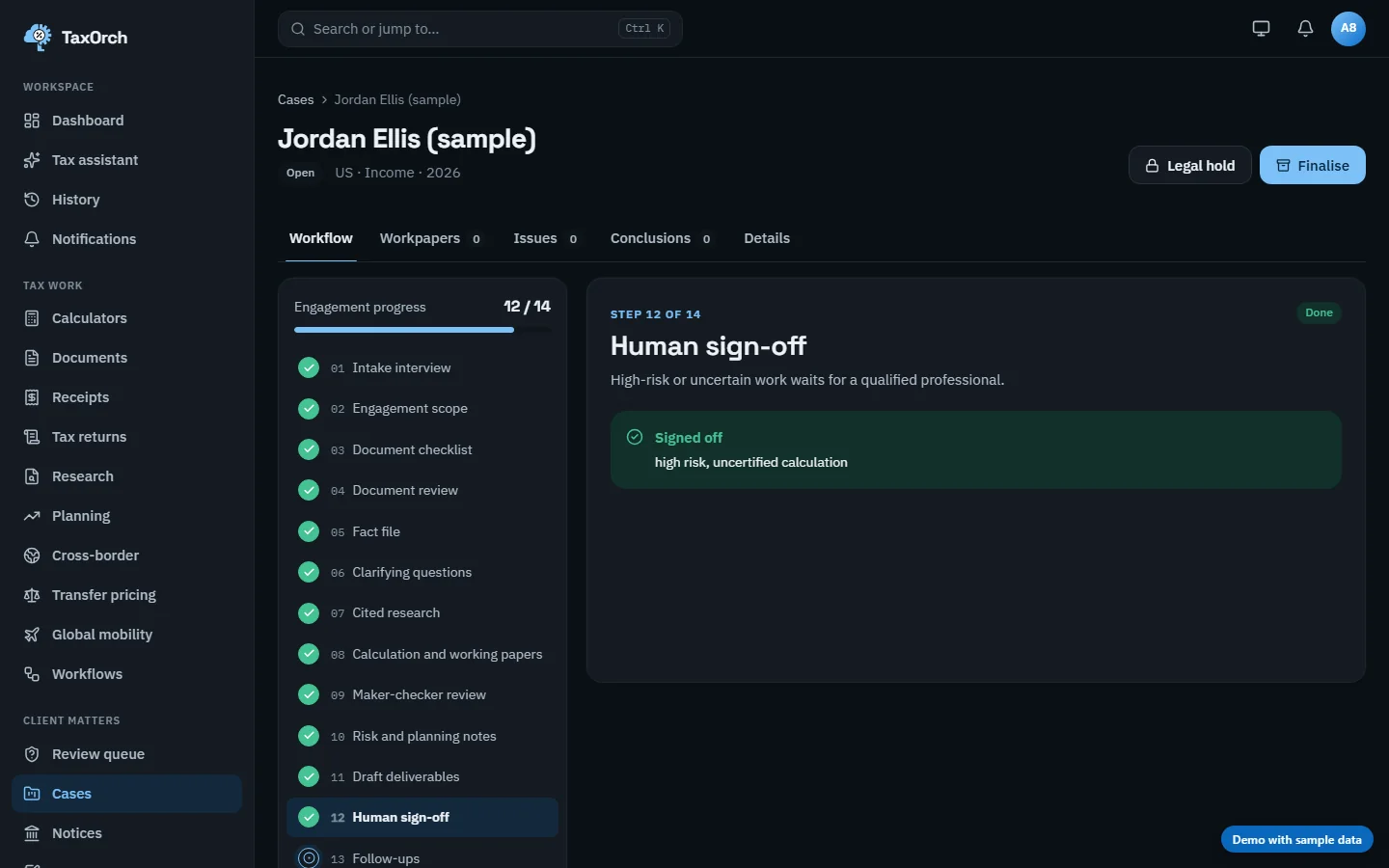
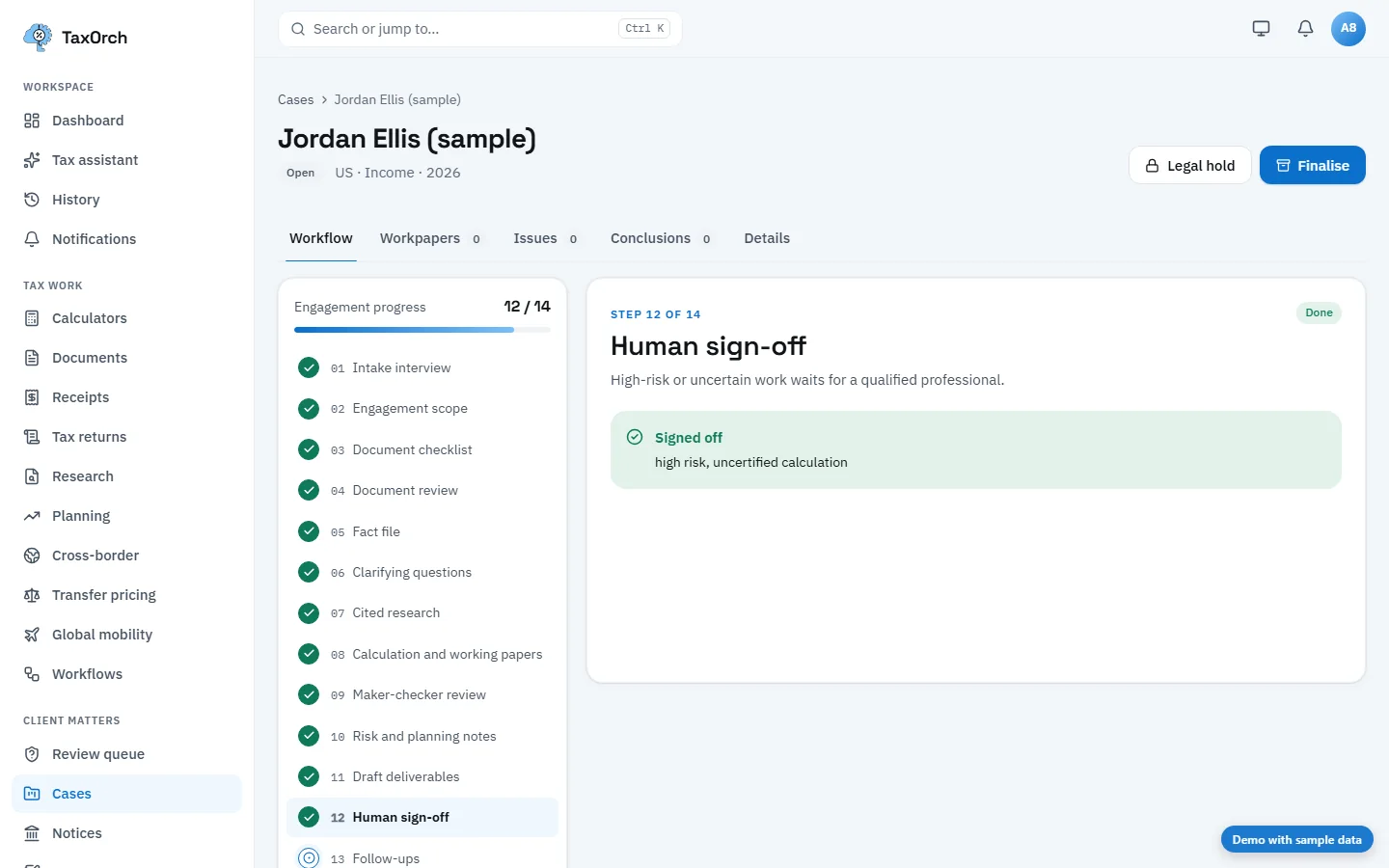
Signed off by a separate reviewer, with the grounds recorded.
What happens if a step is re-run after sign-off
A sign-off is only valid for the work it covered. If the calculation is re-run afterwards, the sign-off is cancelled: the step reads Sign-off cancelled, the calculation was re-run after sign-off, and the reviewer must look at the new results and sign off again. Nothing signed can quietly change underneath the signature.
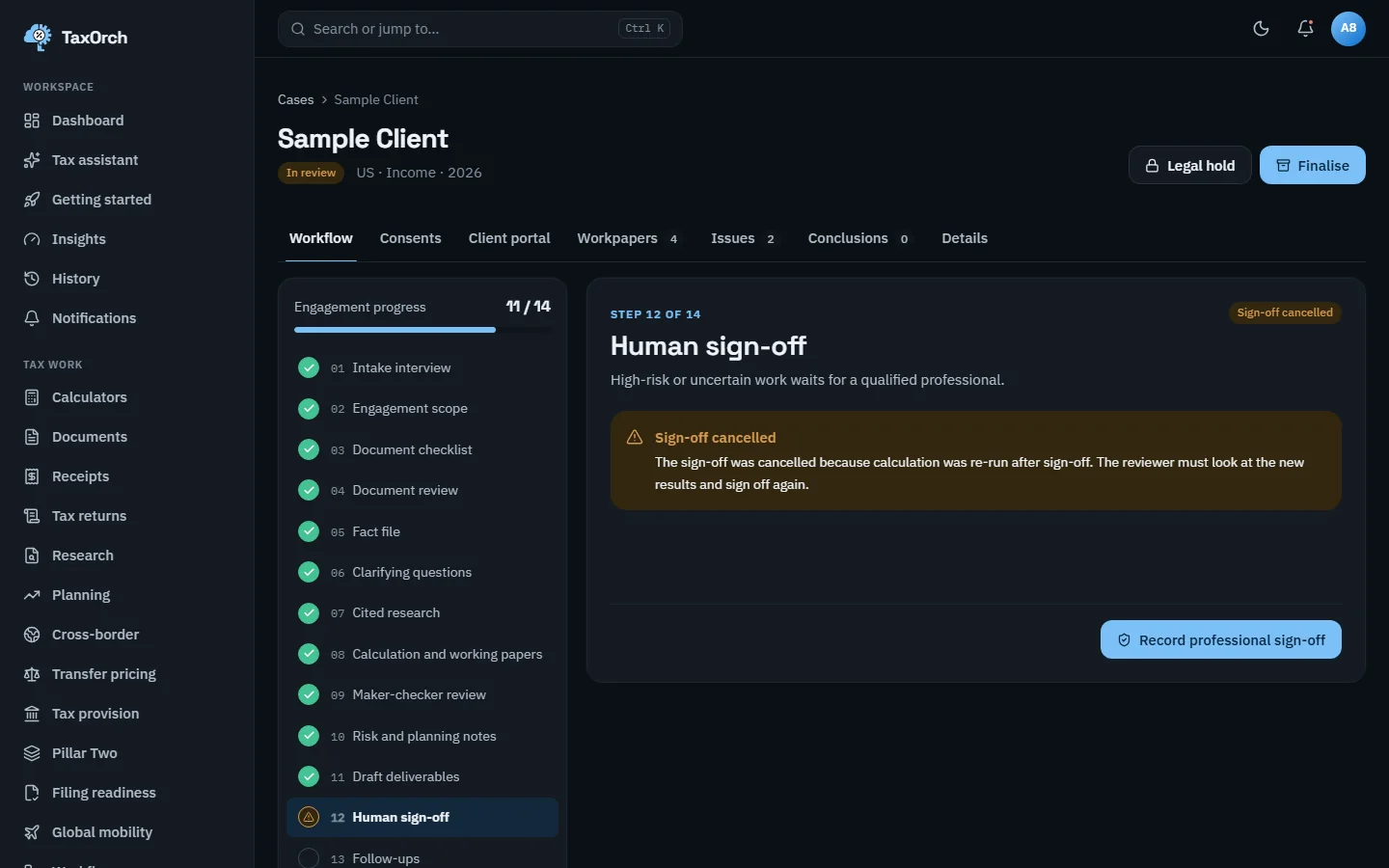
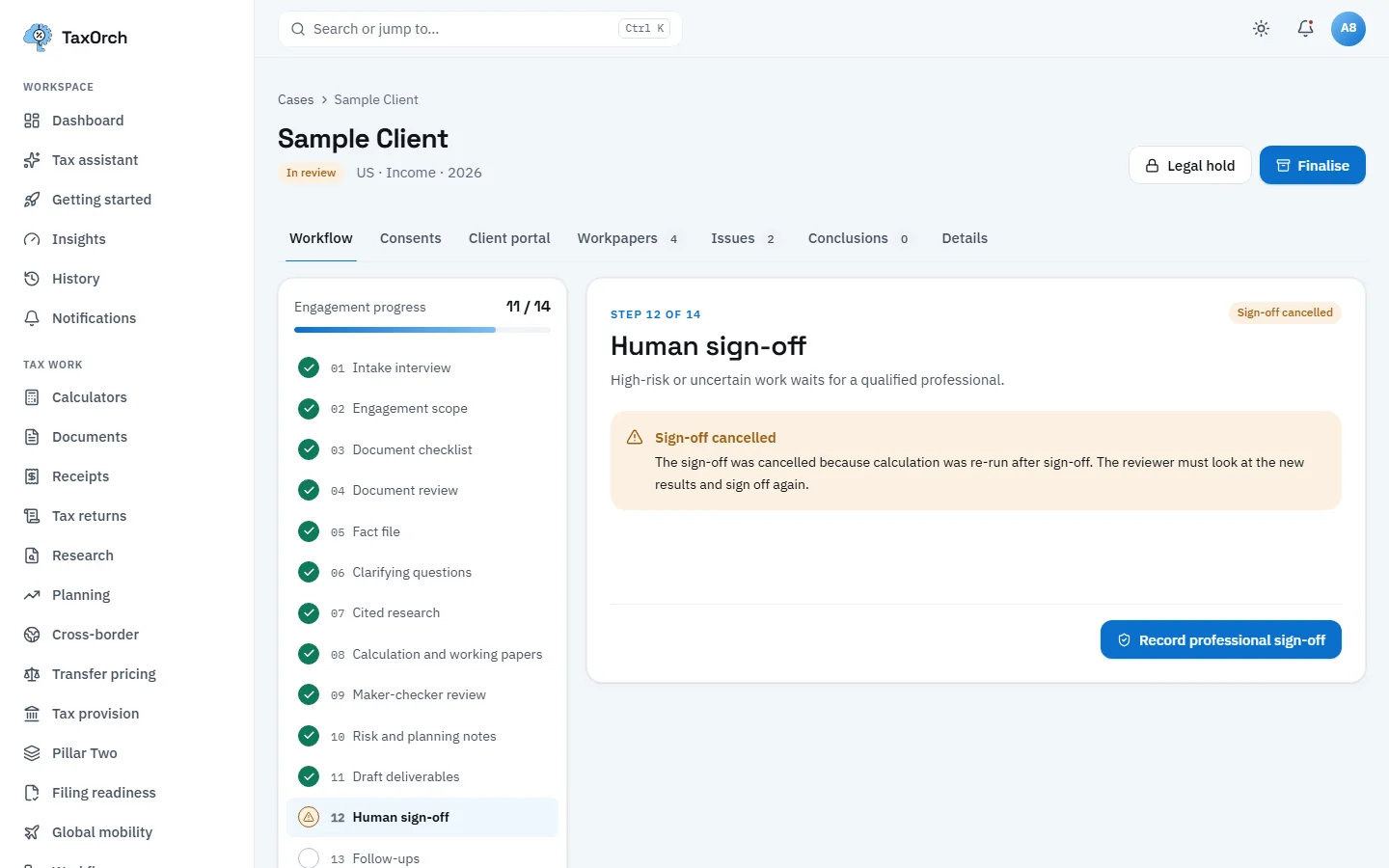
Sign-off cancelled by a later re-run: the reviewer has to look again.
Follow-ups (workflow step 13)
Follow-ups record what happens after sign-off: documents still to arrive, deadlines to meet, questions the client owes. They feed the Deadlines calendar (chapter 10) and the client portal (chapter 5).
Audit trail, export and legal hold (workflow step 14)
The final step seals every logged action into an audit trail with a fingerprint. On Daniel Reyes (sample): 16 entries sealed, the engagement complete, and Export the audit trail from the case menu. This case is also on legal hold: an IRS examination notice was received, so nothing in it can be deleted while the hold stands, whatever the retention schedule says. The hold names who placed it and when.
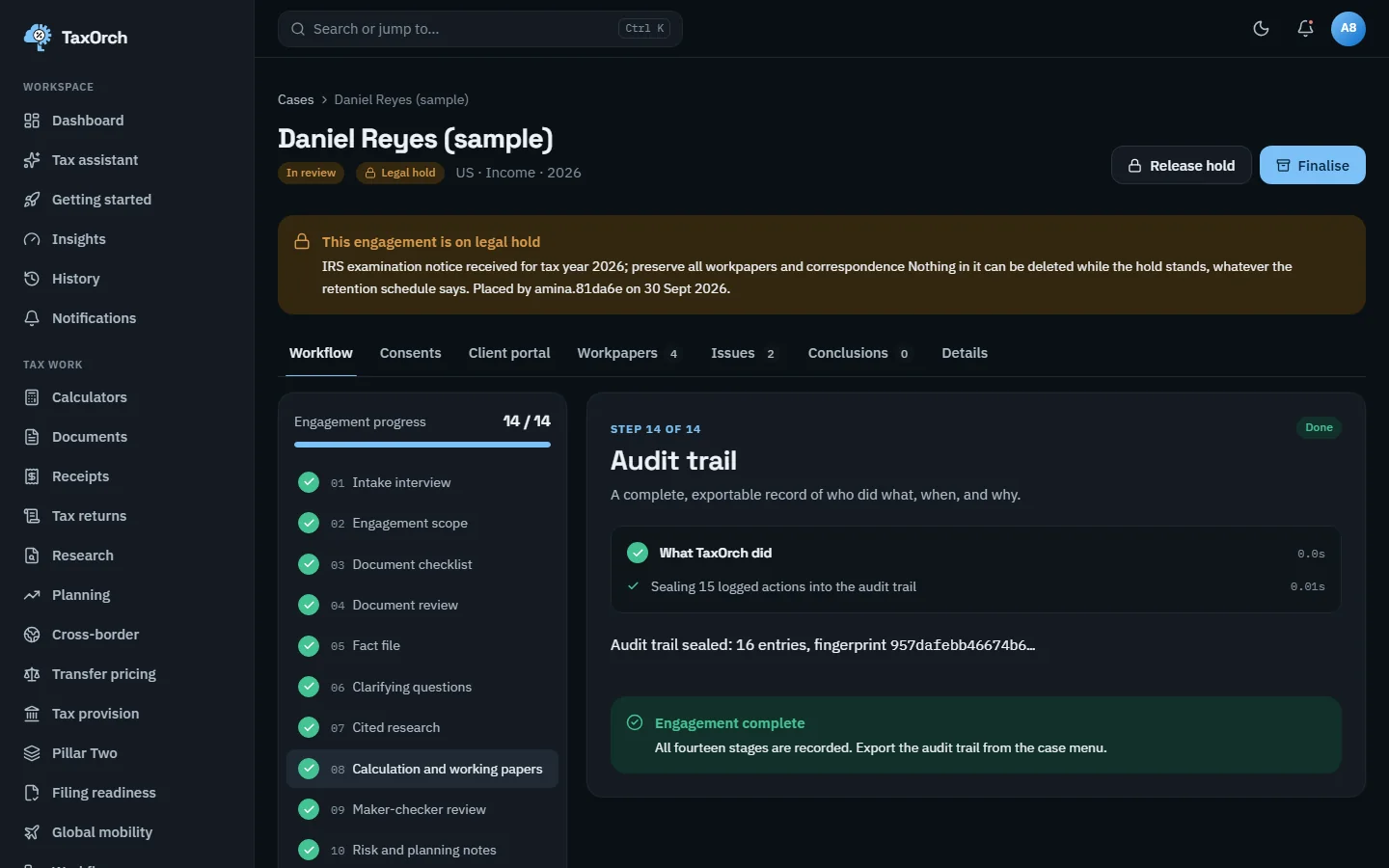
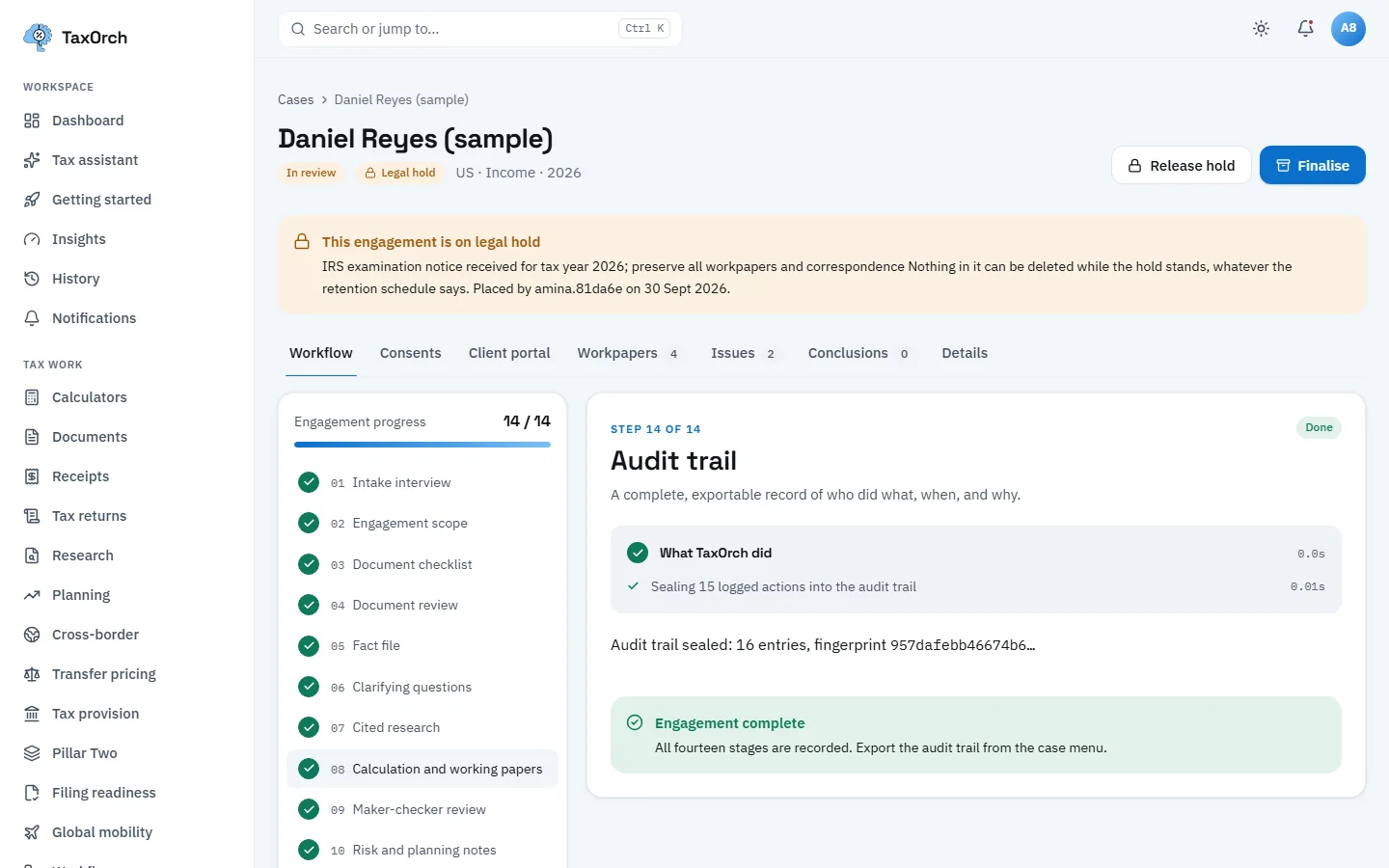
Fourteen of fourteen: the audit trail sealed, and the whole engagement under legal hold.
Tips
- Record the 7216 consent before the checklist, or the workflow will stop at step 3.
- Keep preparer and reviewer as different people from the start; the sign-off step will insist on it anyway.
- Put a case on legal hold the day a notice arrives; the hold overrides every retention period.
- Export the audit trail at finalisation and store it with the file.