Product manual · Chapter 10 of 14

Planning, deadlines and filing readiness

Three tools for looking ahead. Scenario comparison measures every option from the same baseline and states plainly when a figure cannot be computed. The Deadlines calendar computes each client's filing and payment dates from the jurisdiction's statutory rules and names the rule. Filing readiness shows what is ready and what is missing before a return could be filed electronically; it is a preview and nothing is transmitted.

Download as PDF (opens in a new tab)7 min read · Freelancers weighing a structure, and firms watching every client's dates.

Tax figures on these screens are decision support, not tax advice; a professional reviews before anything is filed.

  1. Set up a scenario comparison

    Choose Planning, then Scenario comparison. Give it a title, jurisdiction, tax type and year, then a baseline (the facts as they are, one per line) and alternatives that state only what changes. Priya Nair (sample), UK 2025: baseline sole trader with self-employment income 68,000 and turnover 82,000; alternative 1 a limited company with salary 12,570 and dividends 40,000; alternative 2 the sole trader VAT registered.
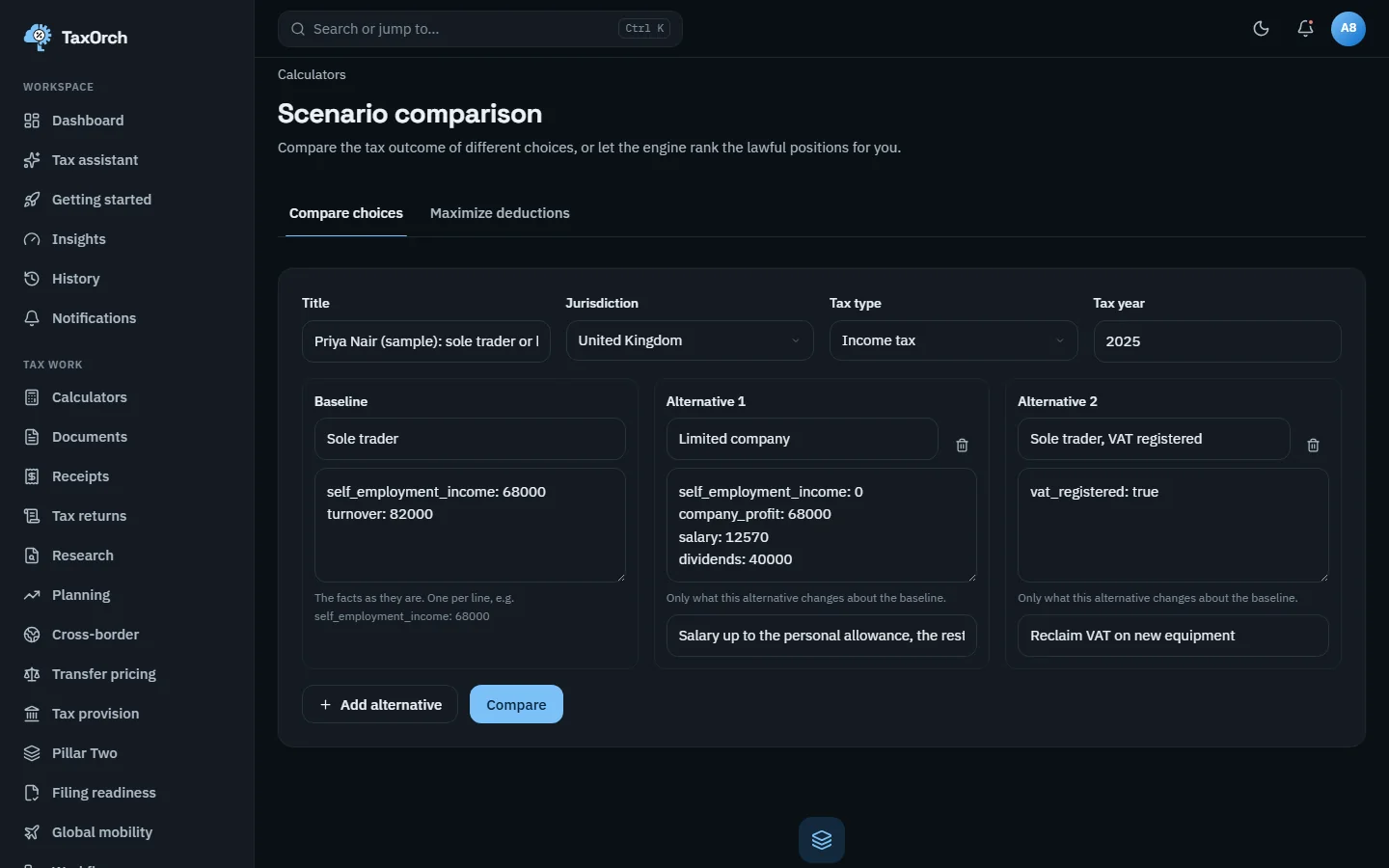
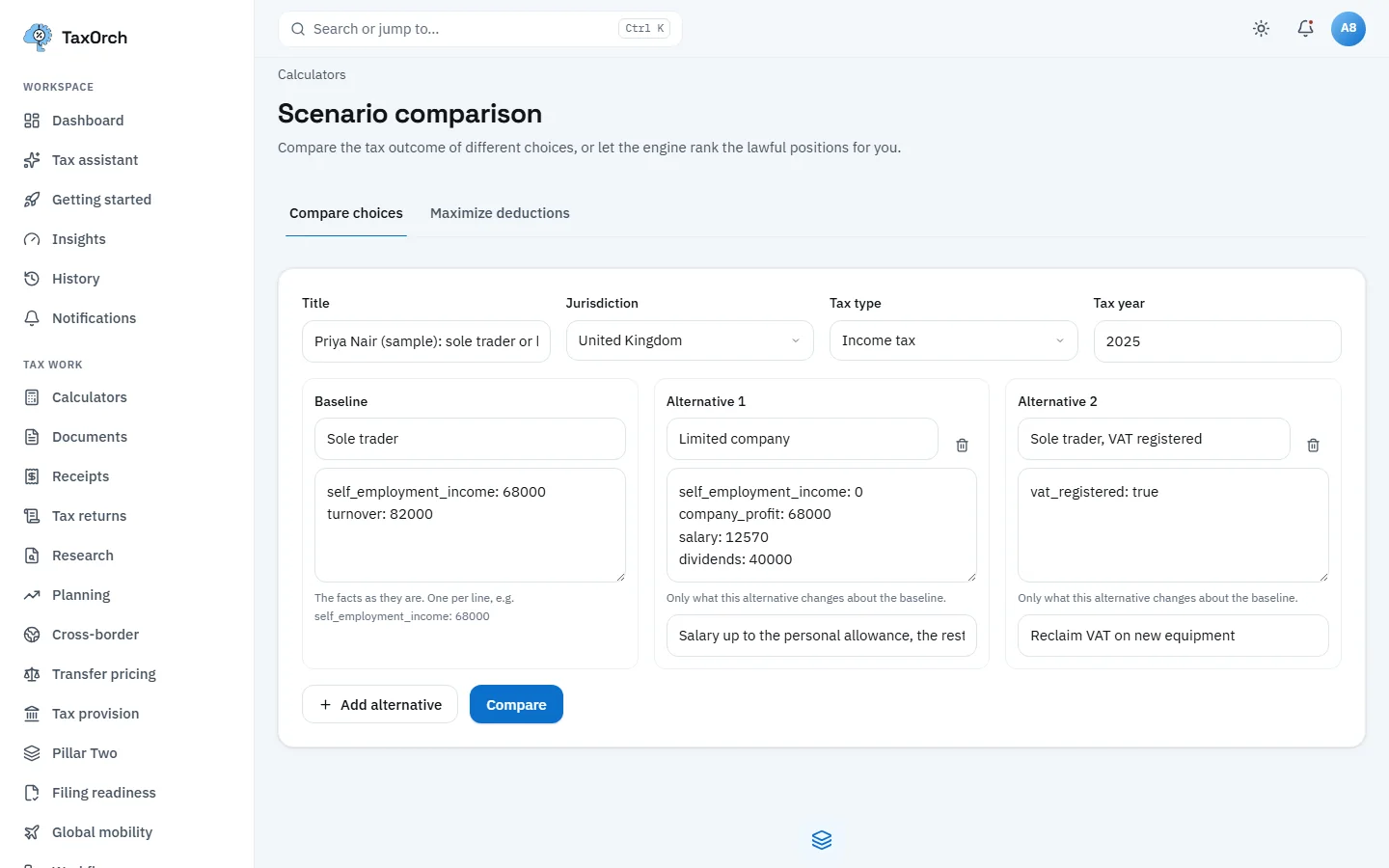
    The TaxOrch Scenario comparison form for Priya Nair (sample), United Kingdom income tax 2025, with a sole trader baseline and two alternatives, limited company and sole trader VAT registered, each listing only what changesThe TaxOrch Scenario comparison form for Priya Nair (sample), United Kingdom income tax 2025, with a sole trader baseline and two alternatives, limited company and sole trader VAT registered, each listing only what changes

    Scenario inputs: a baseline and two alternatives, each stating only what it changes.

  2. Read the comparison, including what is not computed

    The result compares facts, new obligations, when tax is paid and why each option was considered. Because the GB 2025 figures have not yet been verified for calculation, the card reads No tax figure and no recommendation yet, the tax liability row says Not computed for every option, and the saving row explains it is shown only when both sides are computed. The footer reminds you that lowest tax is not the same as best.
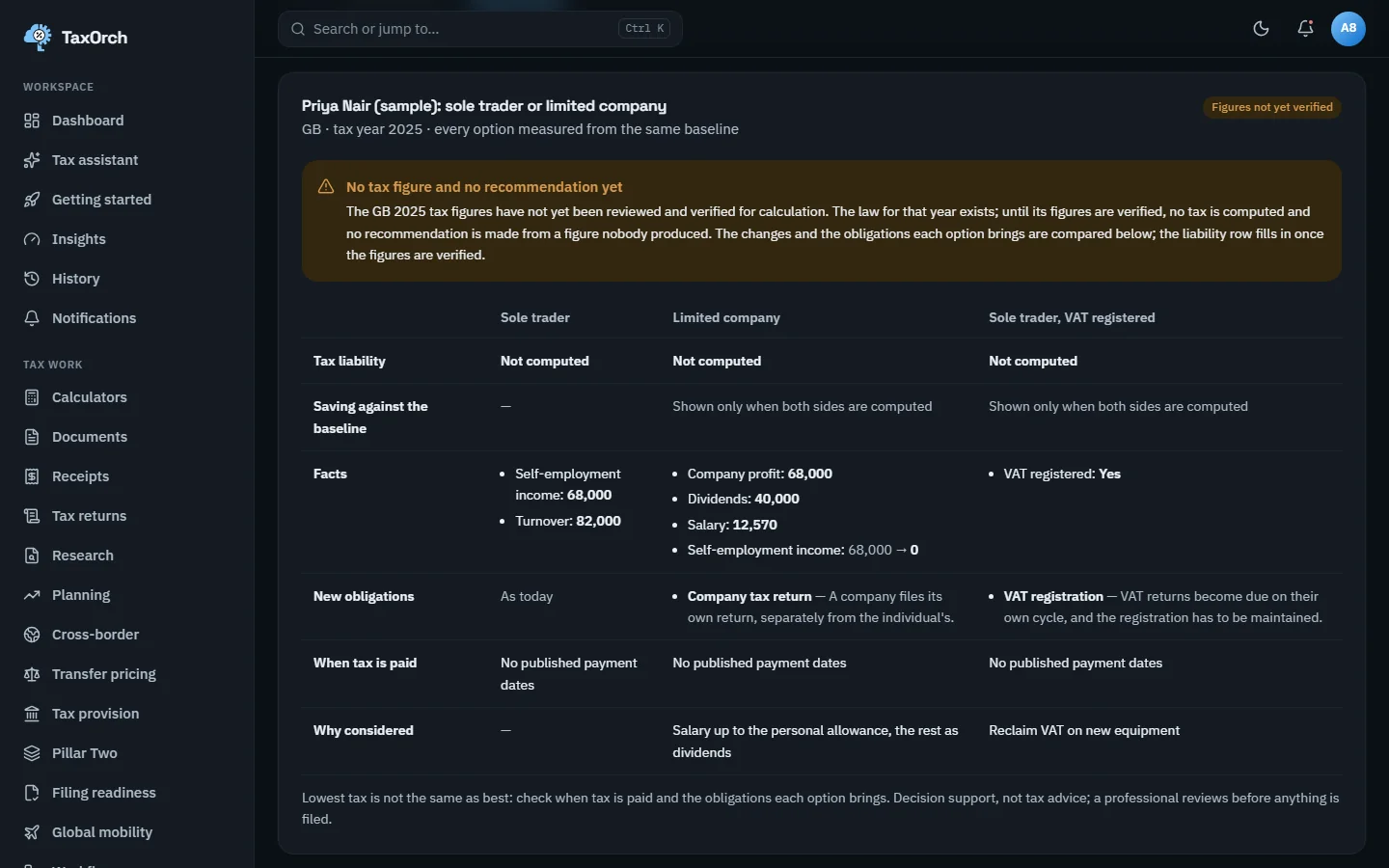
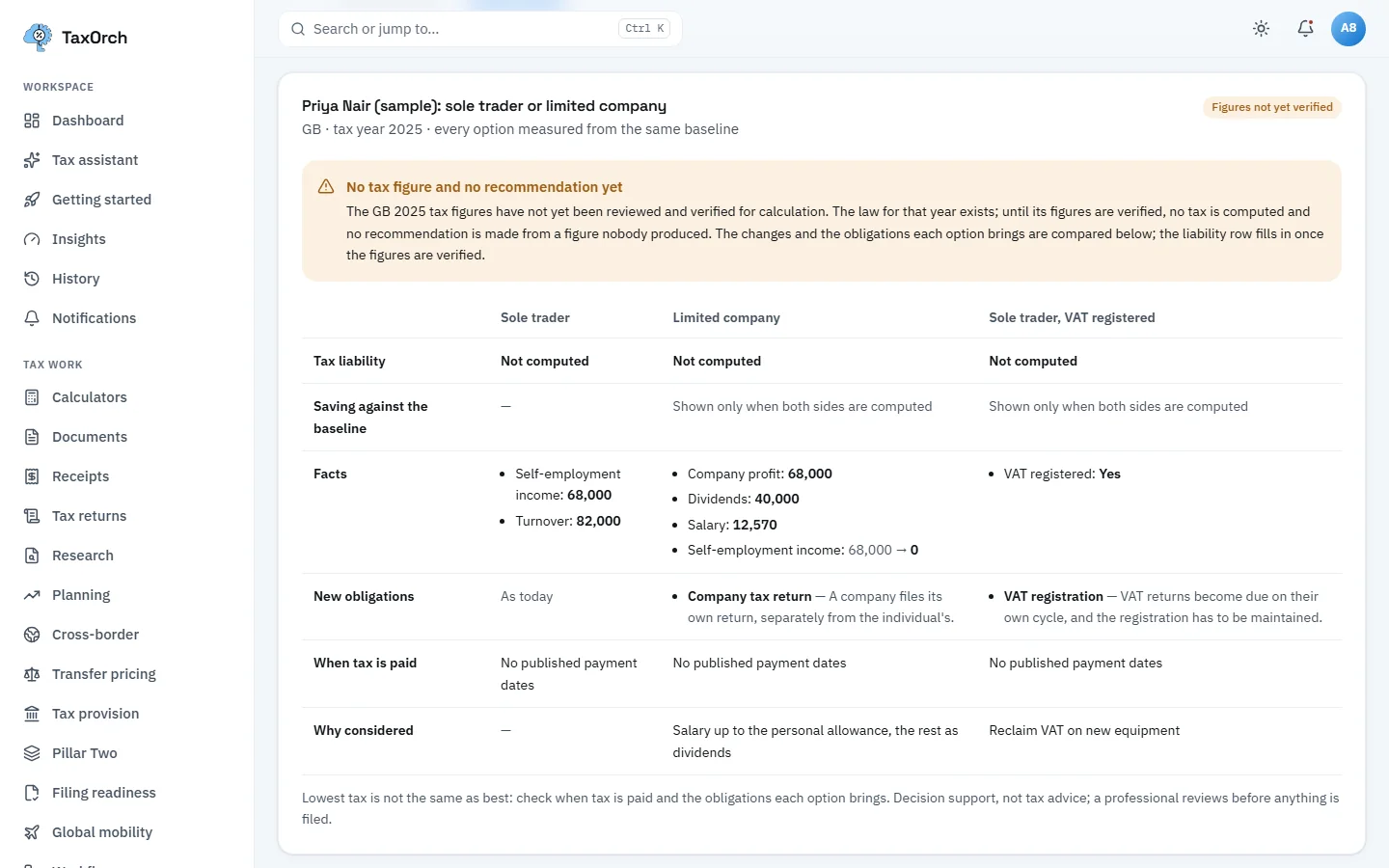
    A TaxOrch scenario comparison for Priya Nair (sample) with a Figures not yet verified badge, a notice reading No tax figure and no recommendation yet, tax liability Not computed for sole trader, limited company and VAT-registered options, and the facts and new obligations of eachA TaxOrch scenario comparison for Priya Nair (sample) with a Figures not yet verified badge, a notice reading No tax figure and no recommendation yet, tax liability Not computed for sole trader, limited company and VAT-registered options, and the facts and new obligations of each

    The comparison: obligations and facts per option, and Not computed where the figures are not verified.

  3. Open the deadlines calendar

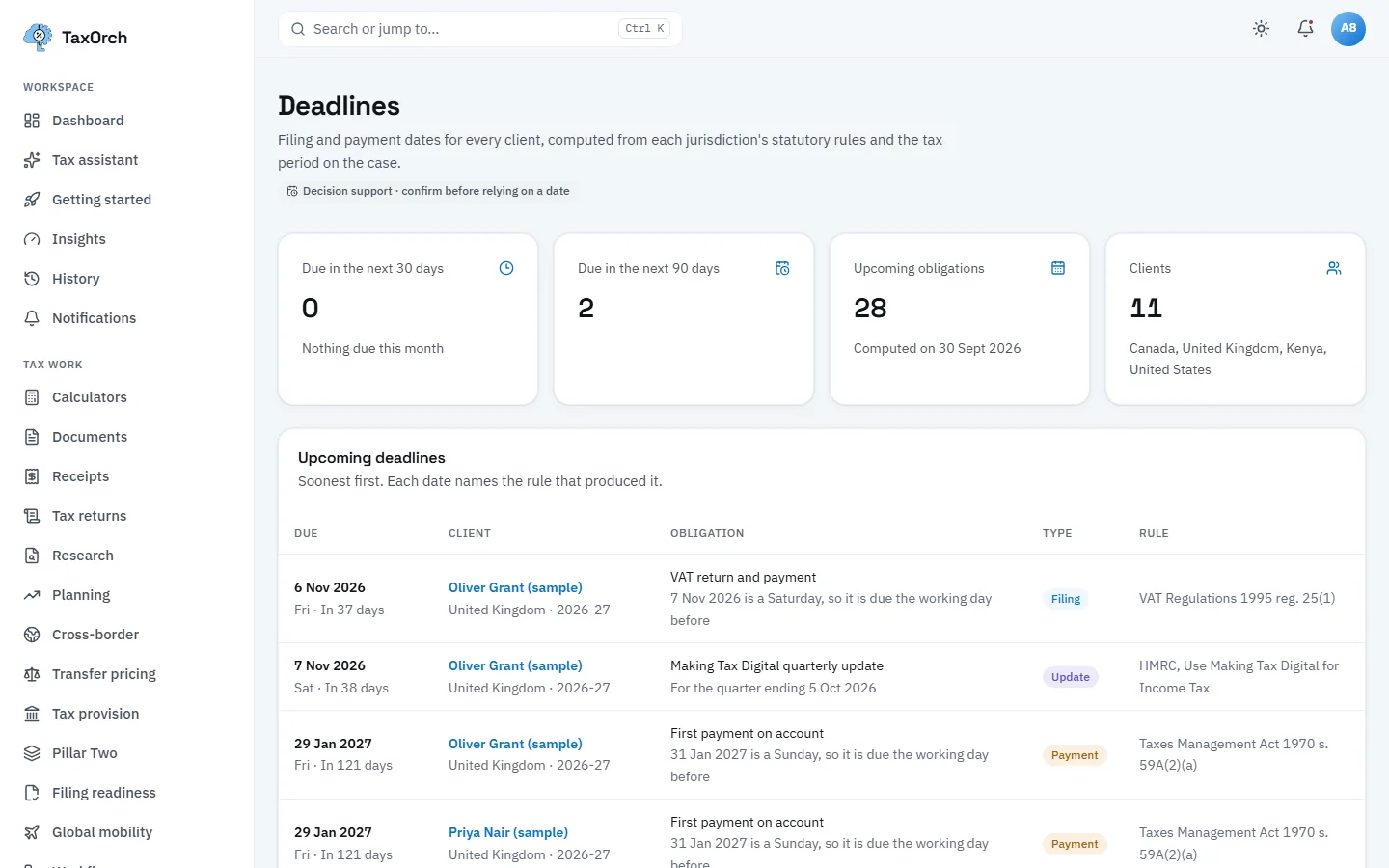
    Choose Deadlines. Four tiles: due in the next 30 days, in the next 90 days, upcoming obligations (28, computed on 30 September 2026) and clients on the calendar (11, across Canada, the United Kingdom, Kenya and the United States). Below, upcoming deadlines soonest first, each naming the rule that produced it and adjusting for weekends: Oliver Grant (sample)'s VAT return is due 6 November 2026 because the 7th is a Saturday, under VAT Regulations 1995 reg. 25(1).

    The badge under the title reads Decision support, confirm before relying on a date.
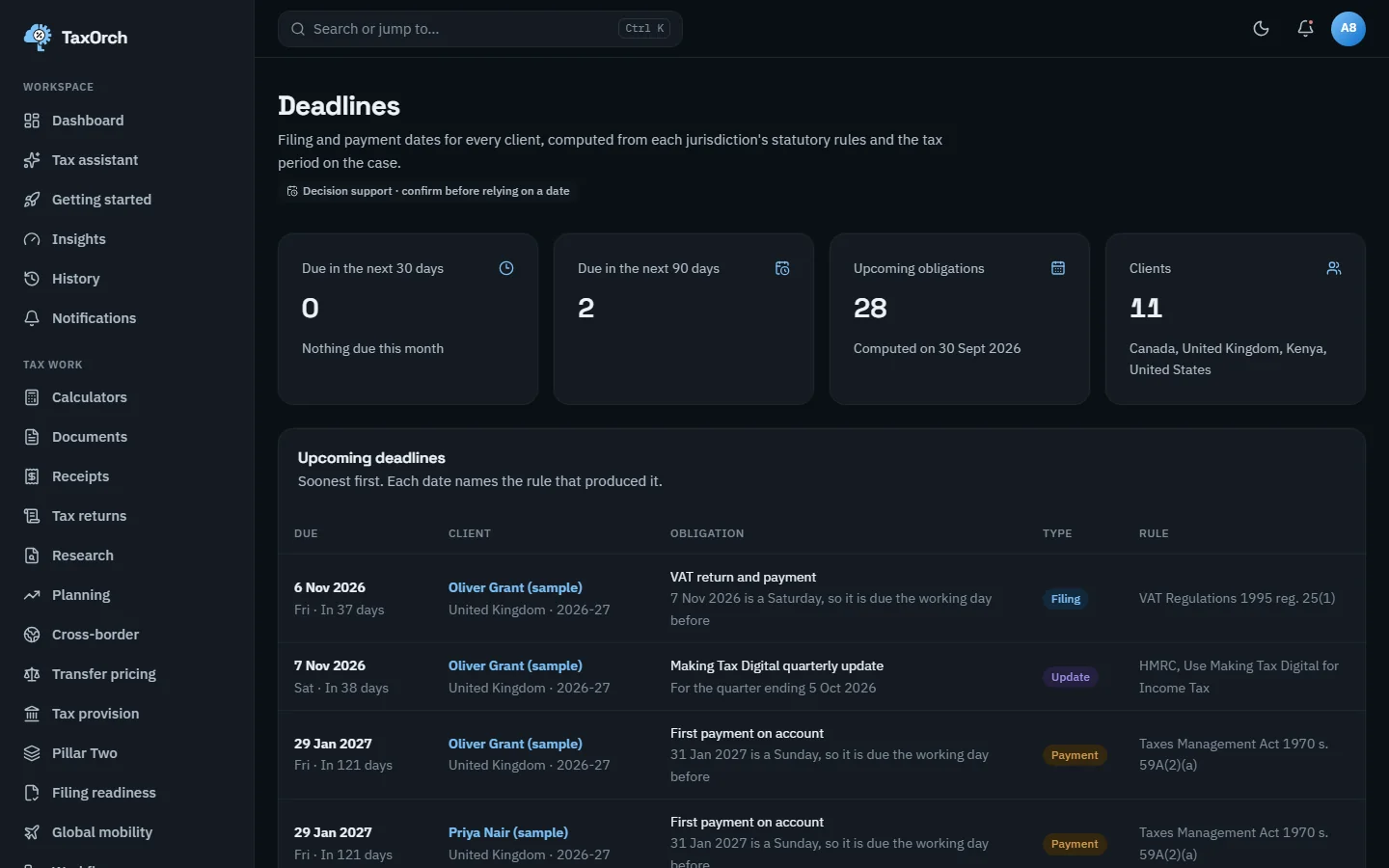
    The TaxOrch Deadlines page with tiles for the next 30 and 90 days, 28 upcoming obligations and 11 clients, and a table of upcoming deadlines for Oliver Grant (sample) and Priya Nair (sample) naming the obligation, type and statutory rule behind each dateThe TaxOrch Deadlines page with tiles for the next 30 and 90 days, 28 upcoming obligations and 11 clients, and a table of upcoming deadlines for Oliver Grant (sample) and Priya Nair (sample) naming the obligation, type and statutory rule behind each date

    Deadlines: each date computed from the statutory rule, named in the last column.

  4. Read the list by date and by client

    The by-date list continues through first payments on account (29 January 2027, Taxes Management Act 1970 s. 59A(2)(a)), a Self Assessment balancing payment (s. 59B(4)) and US Form 1040 filings and payments on 15 April 2027 (IRC sec. 6072(a) and 6151(a)). The Clients view shows each client's period and next obligation, and says when TaxOrch does not hold deadline rules for a country: for Lena Hoffmann (sample) in Germany no dates are shown rather than dates from another country.
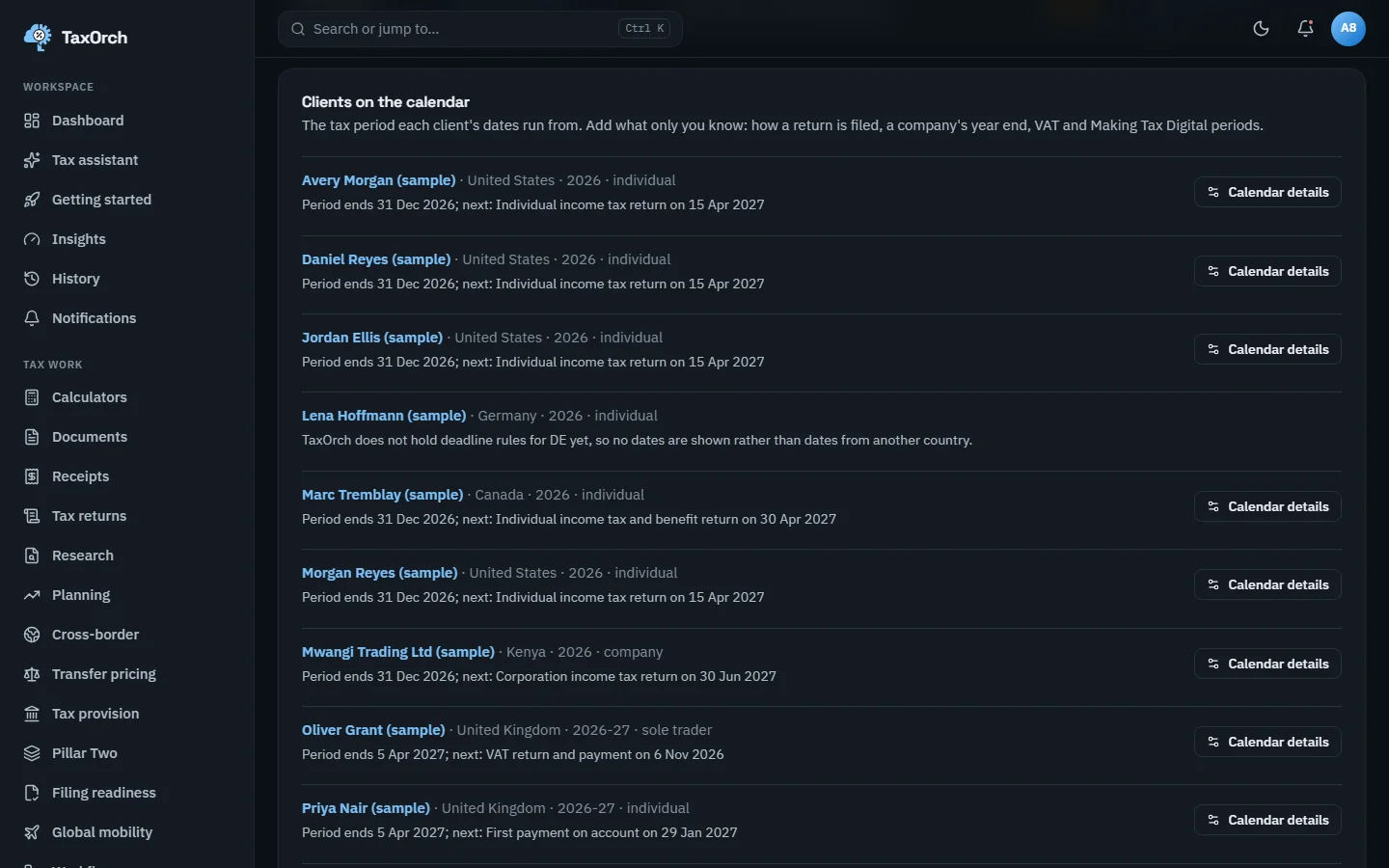
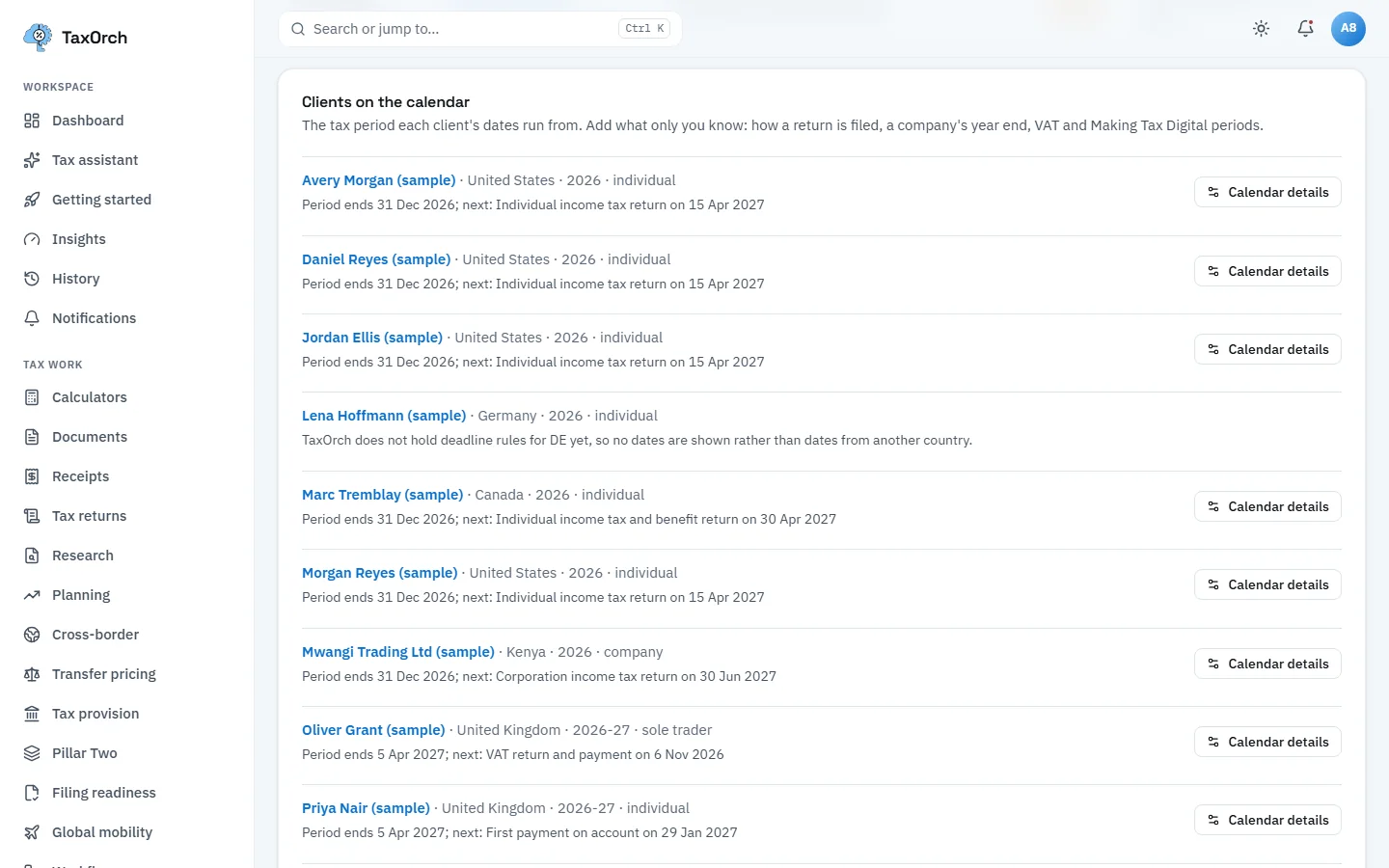
    The Clients on the calendar view in TaxOrch listing sample clients in the United States, Germany, Canada, Kenya and the United Kingdom with each period end and next obligation, and a note that TaxOrch does not hold deadline rules for DE yet so no dates are shownThe Clients on the calendar view in TaxOrch listing sample clients in the United States, Germany, Canada, Kenya and the United Kingdom with each period end and next obligation, and a note that TaxOrch does not hold deadline rules for DE yet so no dates are shown

    Clients on the calendar: period end and next obligation, and an honest gap for Germany.

  5. IRS filing readiness (Preview, In development)

    Choose Filing readiness and a case. For Daniel Reyes (sample), IRS Modernized e-File, the checklist shows 7 of 10 ready: taxpayer identification number, 7216 consent, engagement scope, filing status, maker-checker review, separate-reviewer sign-off and no open issues are Ready; documents and the fact file are Partly ready; calculated figures are Missing because the rules engine declined. The panel Electronic filing reads Not available yet and lists the four authority steps not yet done.

    The note at the bottom is the rule: prepare, review, then file yourself through the authority's own service or your filing software. TaxOrch does not transmit returns.
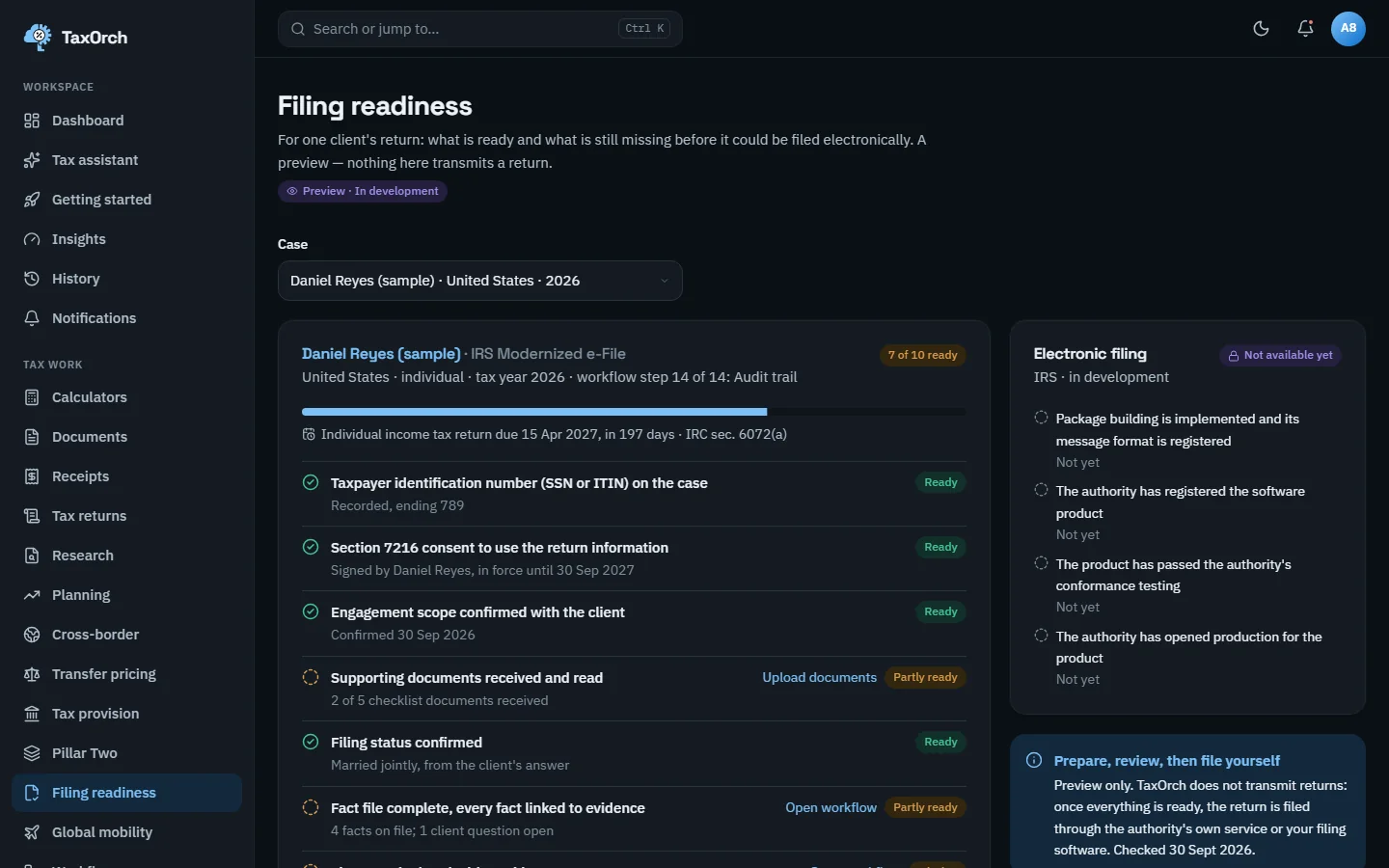
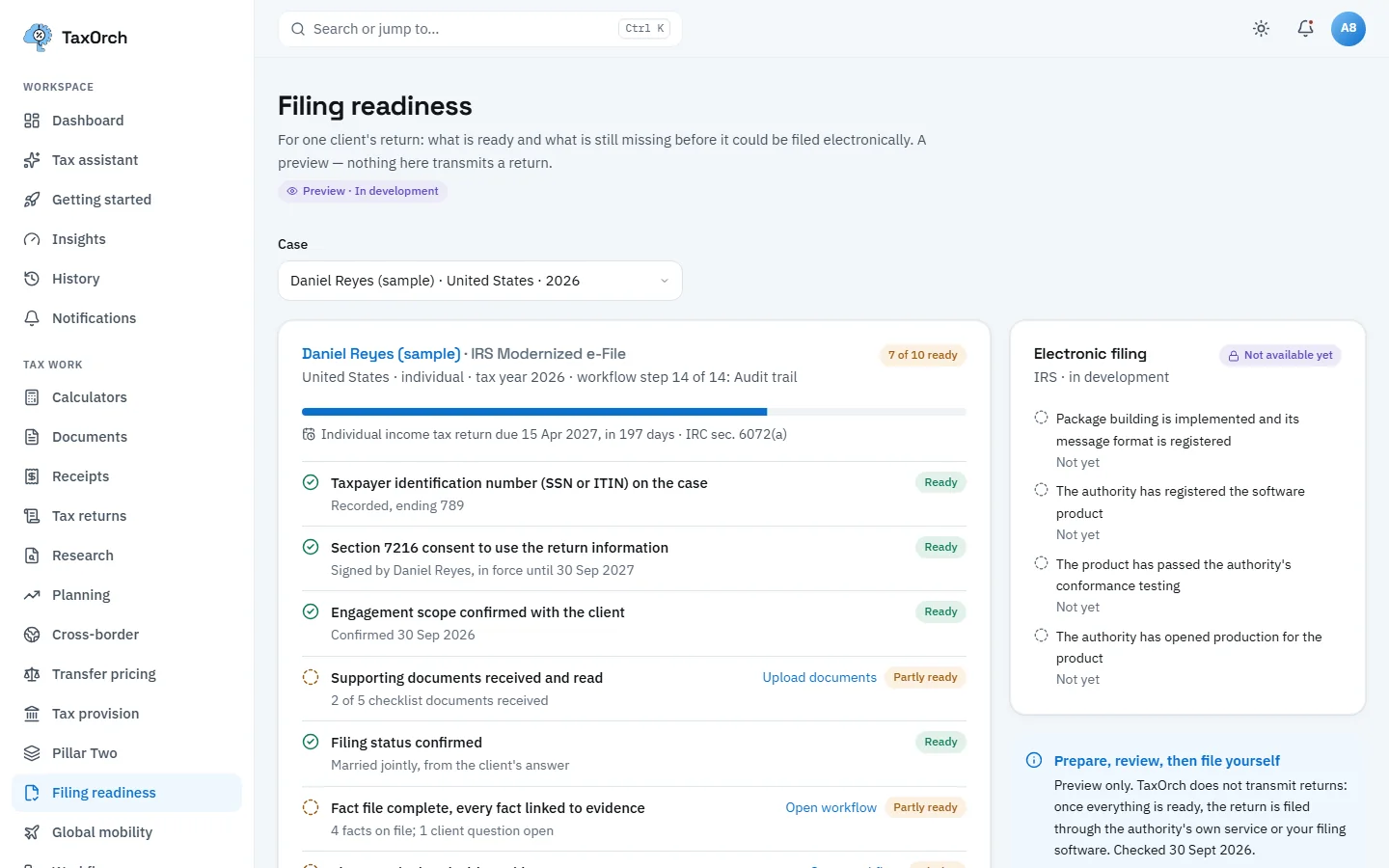
    The TaxOrch Filing readiness page with a Preview, In development badge, for Daniel Reyes (sample) IRS Modernized e-File showing 7 of 10 ready, the return due 15 April 2027 under IRC sec. 6072(a), and an Electronic filing panel marked Not available yetThe TaxOrch Filing readiness page with a Preview, In development badge, for Daniel Reyes (sample) IRS Modernized e-File showing 7 of 10 ready, the return due 15 April 2027 under IRC sec. 6072(a), and an Electronic filing panel marked Not available yet

    IRS readiness preview: what is ready and what is missing, and electronic filing marked Not available yet.

  6. HMRC Making Tax Digital readiness (Preview, In development)

    For Oliver Grant (sample), a UK sole trader for 2026-27, the checklist can be viewed for MTD for Income Tax or MTD for VAT. It shows 5 of 10 ready, the quarterly update due 7 November 2026, and a Missing unique taxpayer reference with an Add reference button. Electronic filing is again Not available yet.
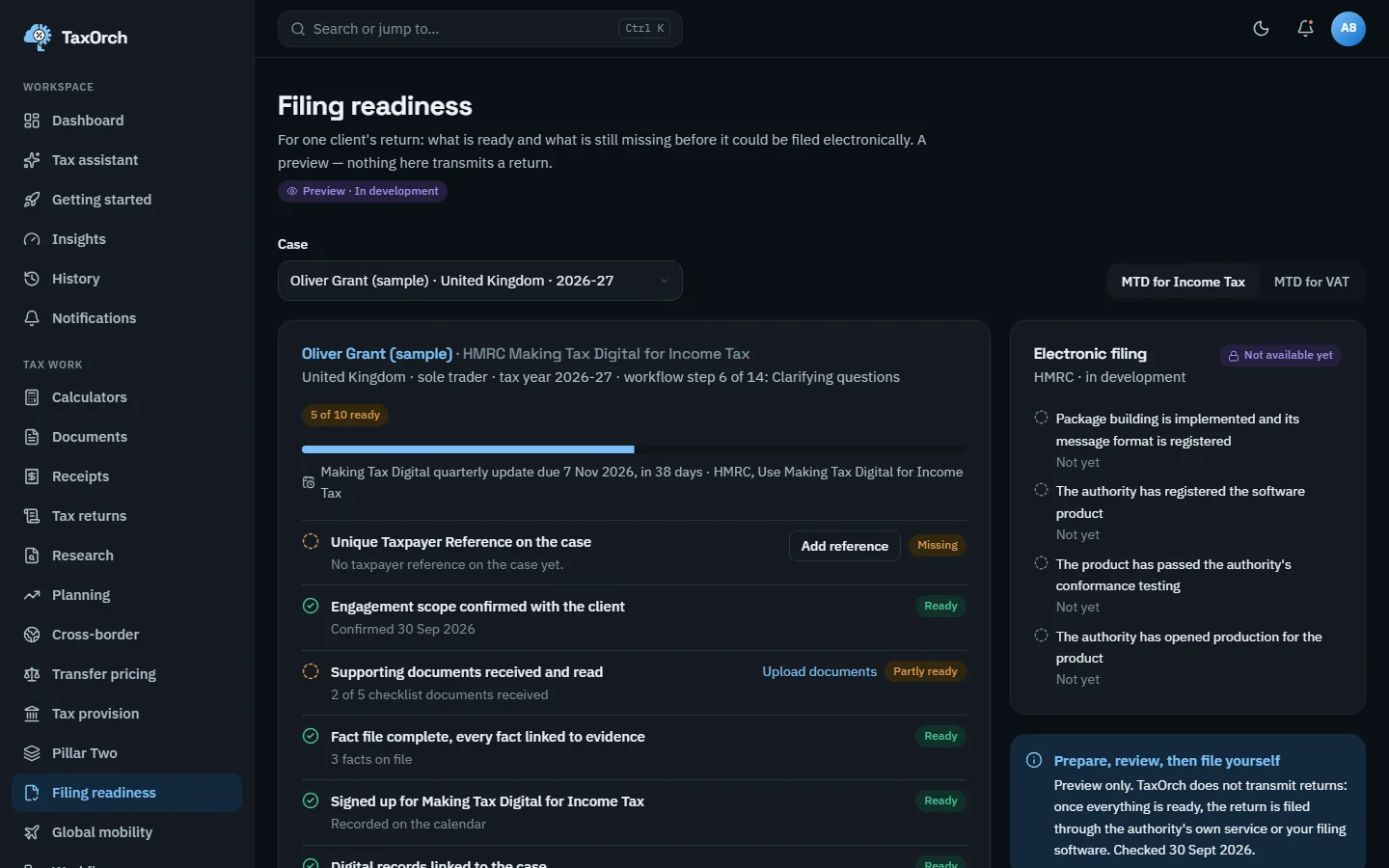
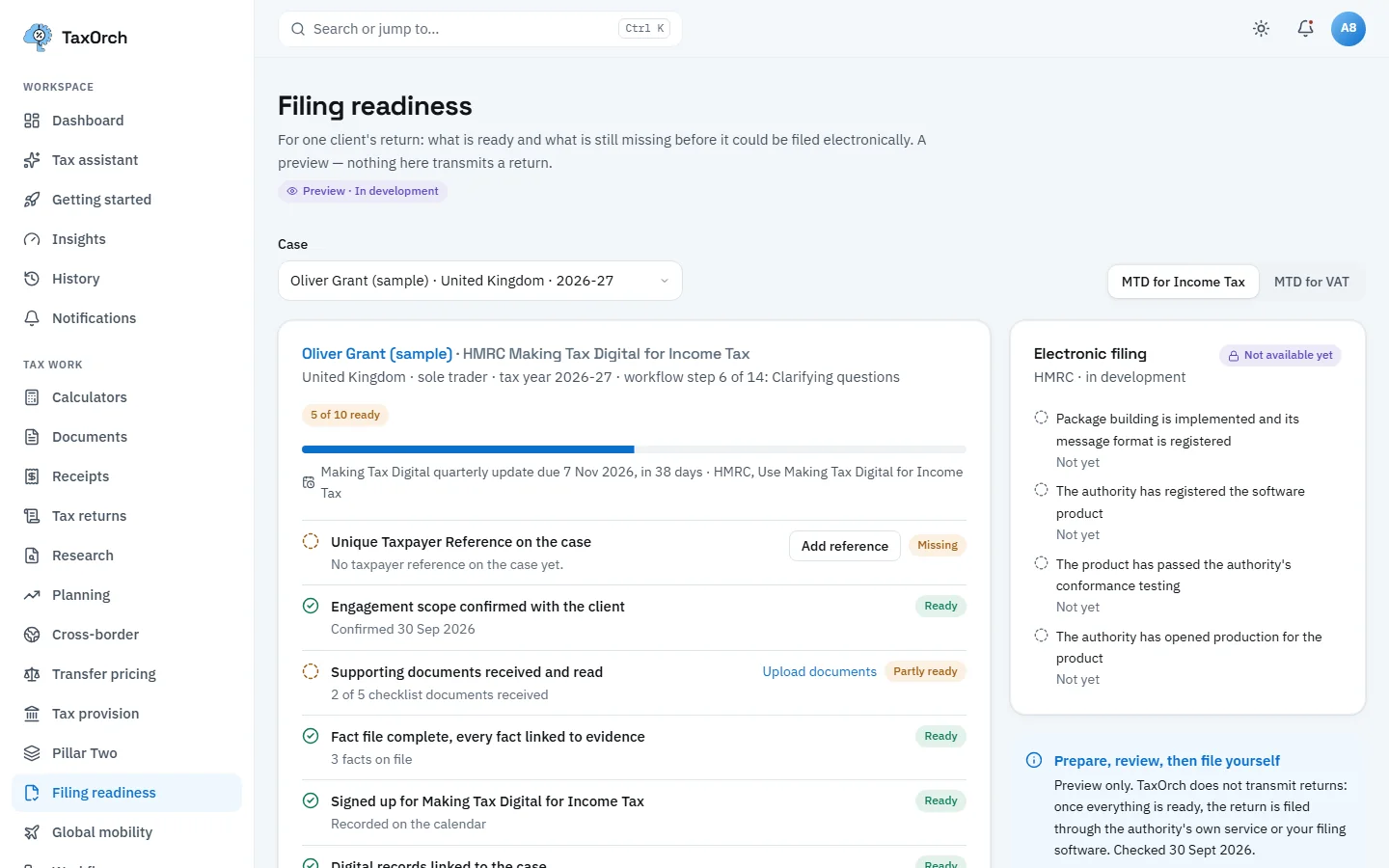
    The TaxOrch Filing readiness page for Oliver Grant (sample), HMRC Making Tax Digital for Income Tax, showing 5 of 10 ready, a quarterly update due 7 Nov 2026, a missing unique taxpayer reference, and electronic filing Not available yetThe TaxOrch Filing readiness page for Oliver Grant (sample), HMRC Making Tax Digital for Income Tax, showing 5 of 10 ready, a quarterly update due 7 Nov 2026, a missing unique taxpayer reference, and electronic filing Not available yet

    HMRC MTD readiness preview: the quarterly update date, and the taxpayer reference still to add.

  7. CRA readiness (Preview, In development)

    For Marc Tremblay (sample), Canada 2026, CRA EFILE readiness shows 4 of 8 ready: the Social Insurance Number and engagement scope recorded, documents Missing (0 of 5 received), the fact file Partly ready, calculated figures Missing because the rules engine declined, the return due 30 April 2027 under the Income Tax Act s. 150(1)(d)(i).
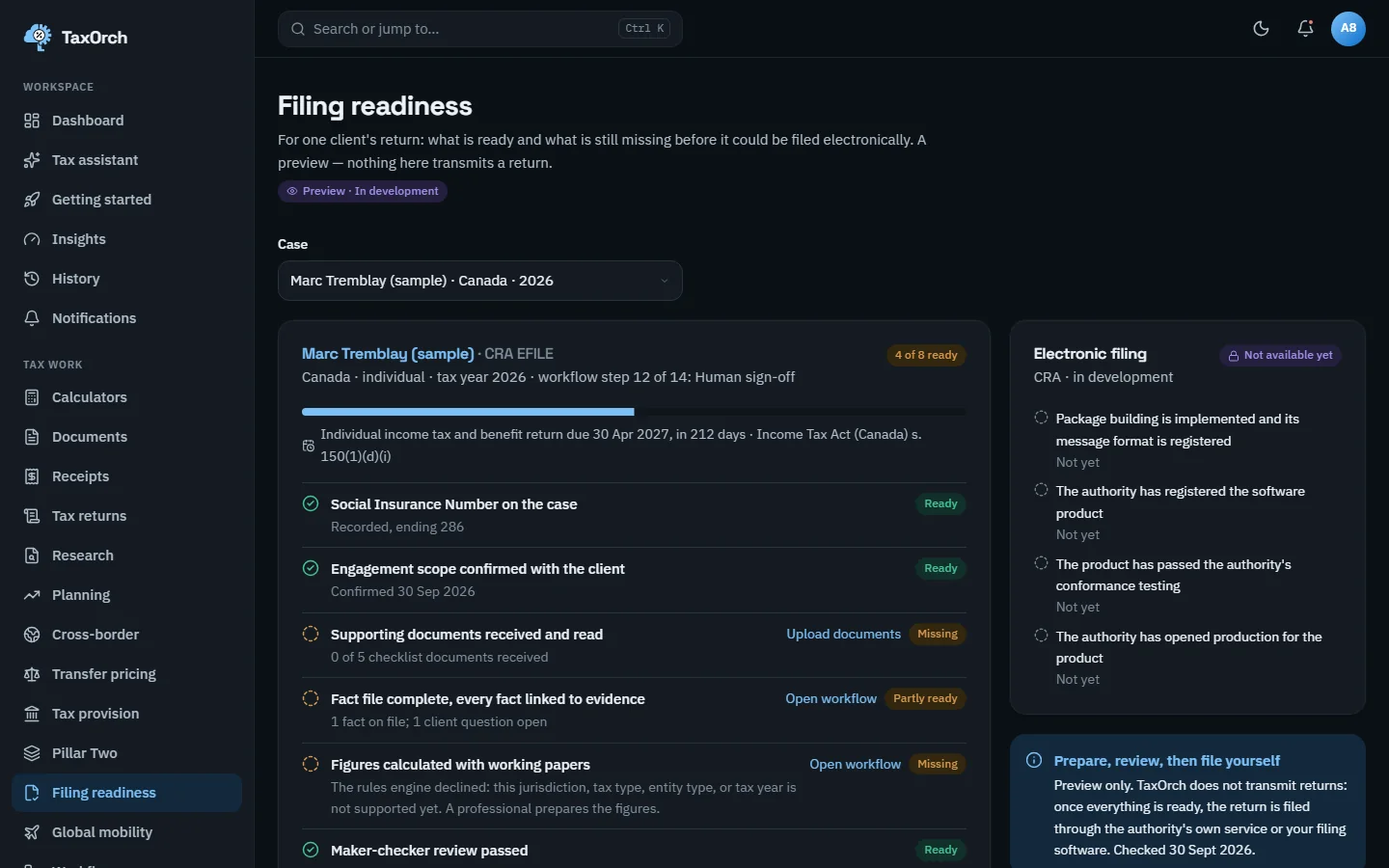
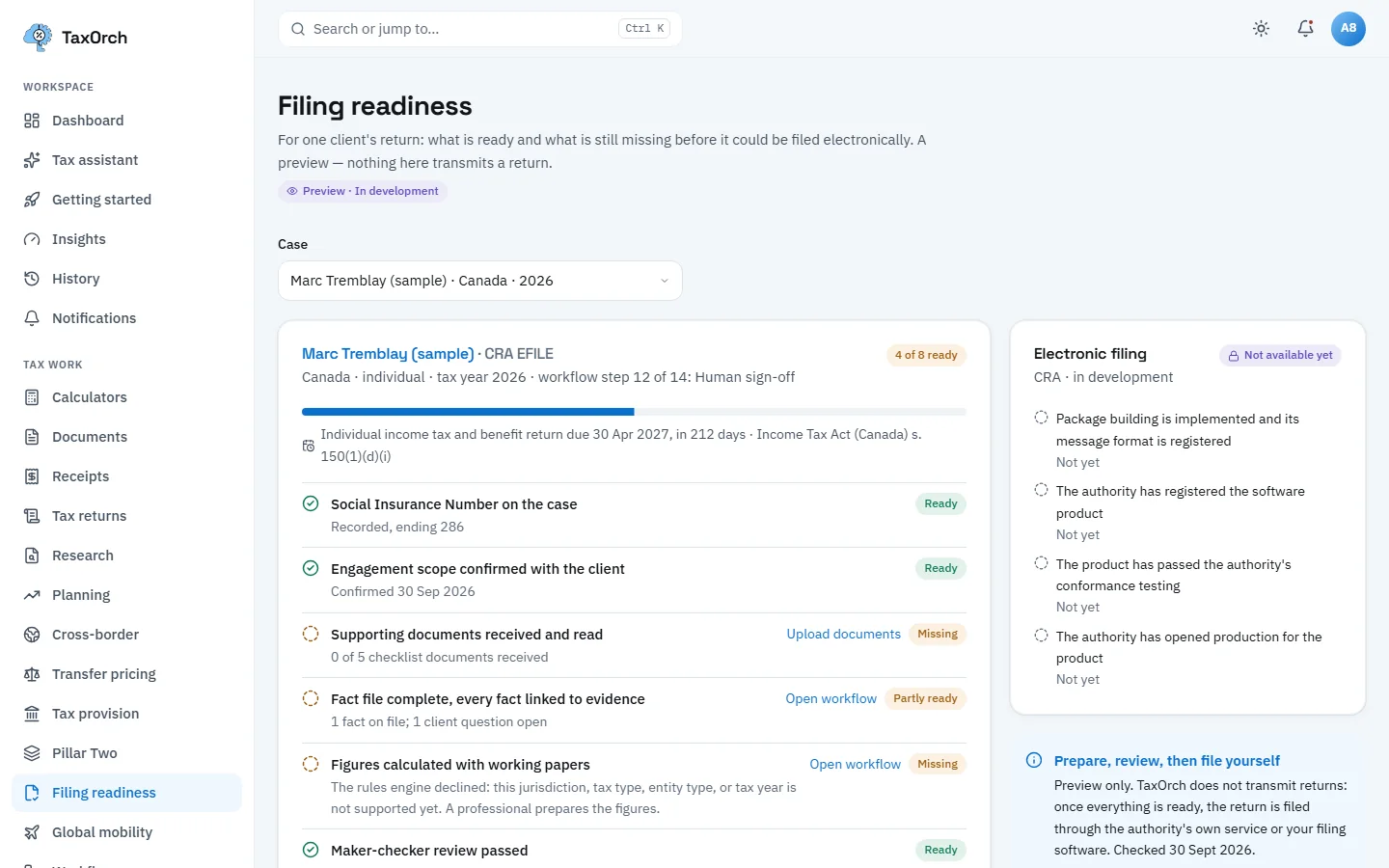
    The TaxOrch Filing readiness page for Marc Tremblay (sample), CRA EFILE, showing 4 of 8 ready, the return due 30 April 2027 under the Income Tax Act s. 150(1)(d)(i), documents missing and calculated figures missing, with electronic filing Not available yetThe TaxOrch Filing readiness page for Marc Tremblay (sample), CRA EFILE, showing 4 of 8 ready, the return due 30 April 2027 under the Income Tax Act s. 150(1)(d)(i), documents missing and calculated figures missing, with electronic filing Not available yet

    CRA readiness preview: four of eight ready, with the statutory due date named.

Tips

  • Enter alternatives as differences from the baseline, not full fact sets; it keeps the comparison readable.
  • Add a client's filing method and year end in Calendar details; the calendar only computes what it has been told.
  • Use readiness as a checklist for the file, not as a filing step: the filing happens in the authority's service.

Limits

Try it on your own work

Try everything in the manual on your own work.

Ask for a demo account and work through these chapters with your own questions, or book a working session and check the file a reviewer would see.

Every screen in the manual was captured from the running product on sample data.

Decision support, not tax advice. A professional reviews before anything is filed.