
Can you trust AI tax software?
Only if you can check it. Six tests to run on any AI tax tool before you rely on it, and how TaxOrch answers each one, shown on real screens.
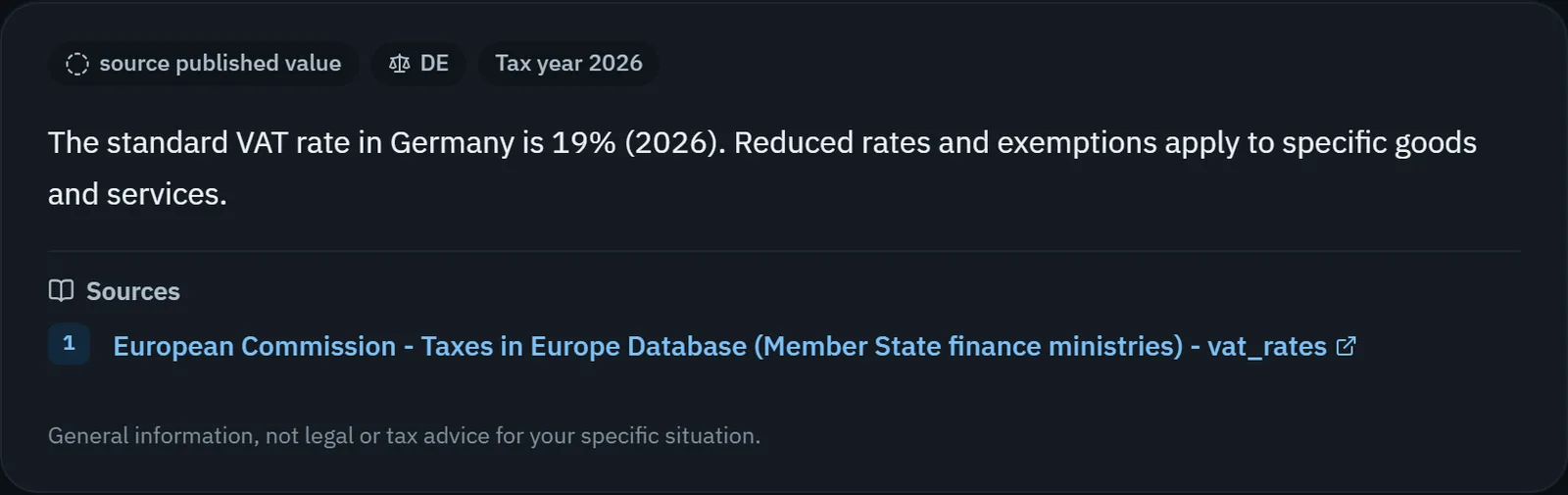
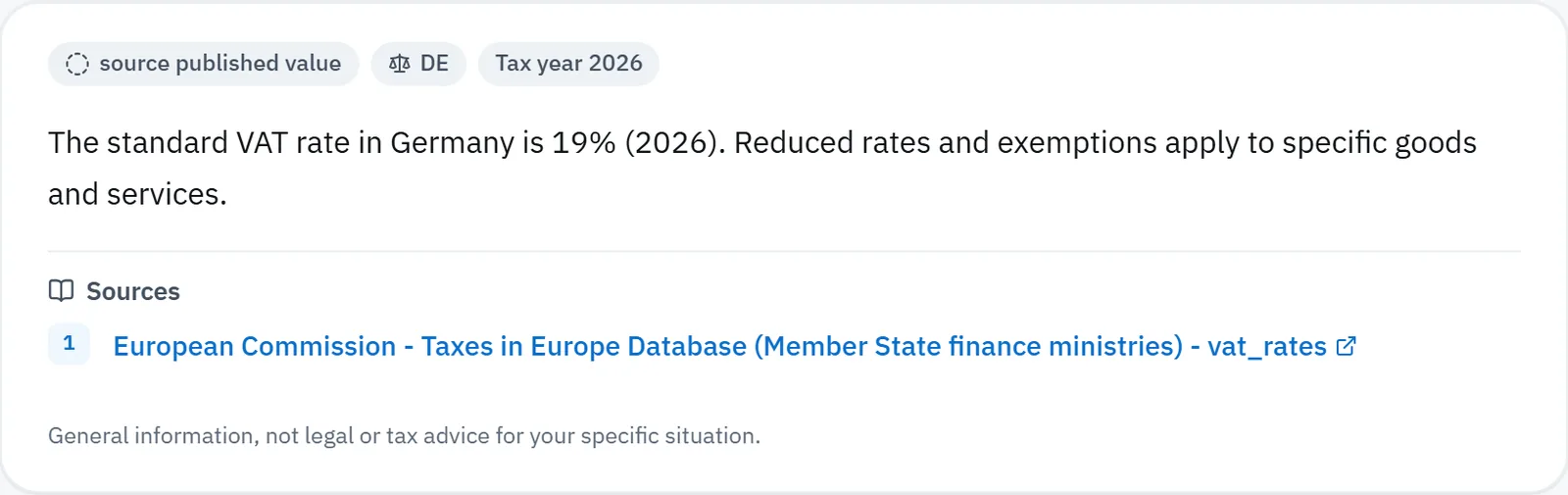
Does every figure name its source?
Ask for a rate you can look up yourself, such as a country's standard VAT rate. A trustworthy answer names the tax authority or official database and the tax year. An answer with no source is a guess you would have to check anyway.
Does it refuse when it does not know?
Ask something narrow and recent. A tool that always answers is sometimes inventing. TaxOrch says when no official source supports an answer yet, and what it would need.
Are the numbers calculated or generated?
Tax figures should be calculated from the official rates, not estimated. Change the income in a worked example and check the bands move the way the law says they should.
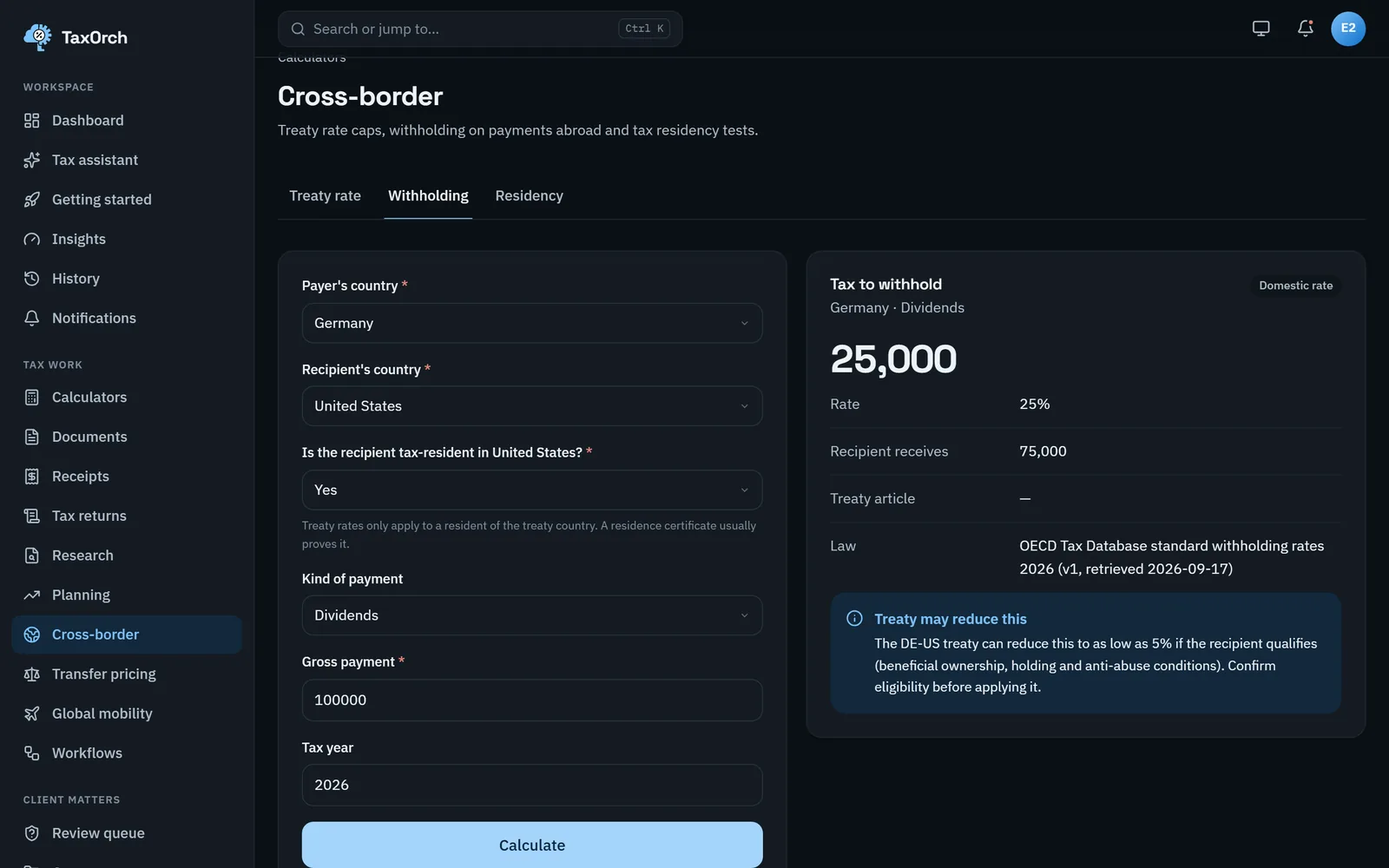
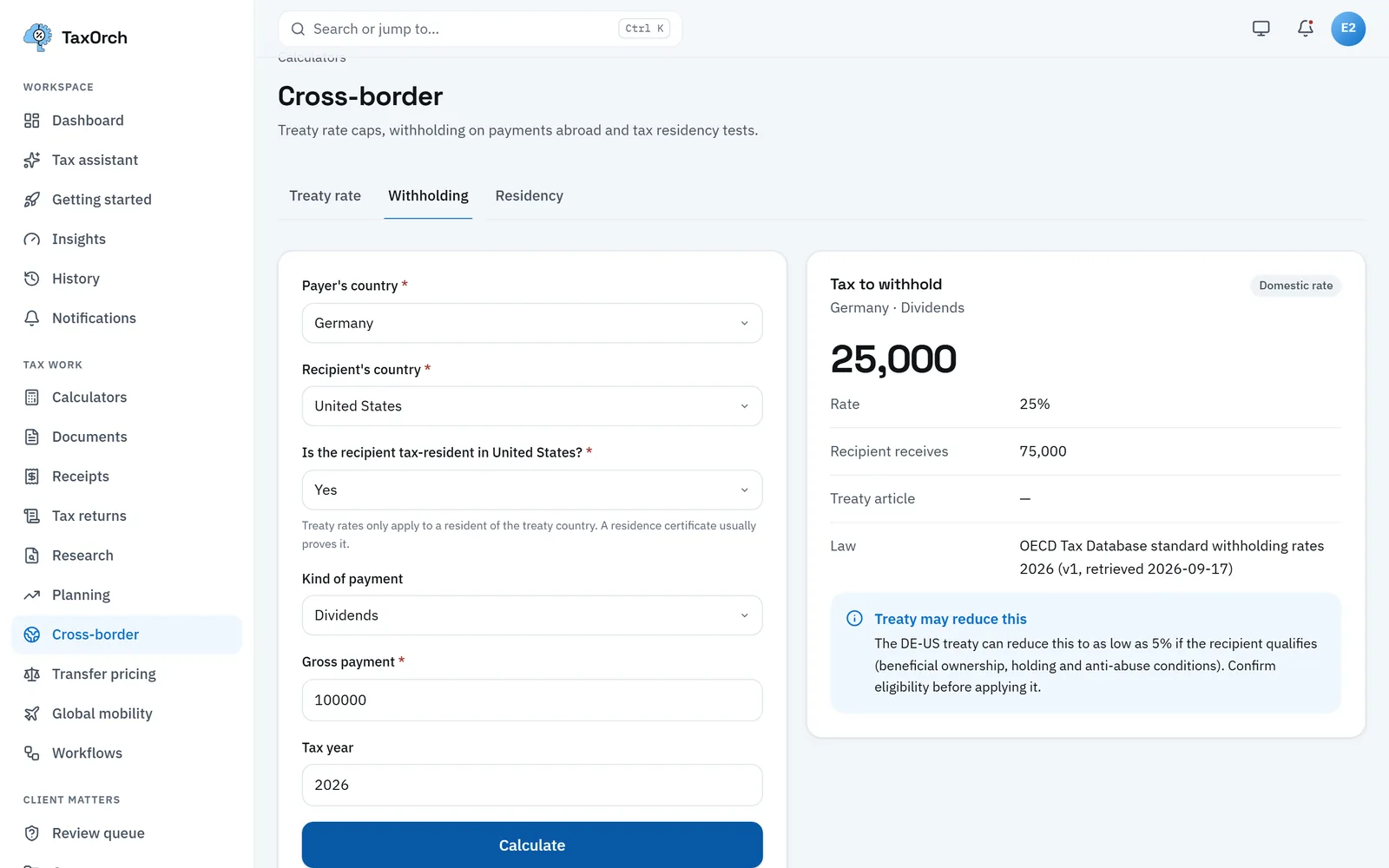
Does it tell you the conditions?
Treaty rates, reliefs and thresholds come with conditions. A good answer states them, such as beneficial ownership and residence for a treaty rate, rather than handing you the lowest number.
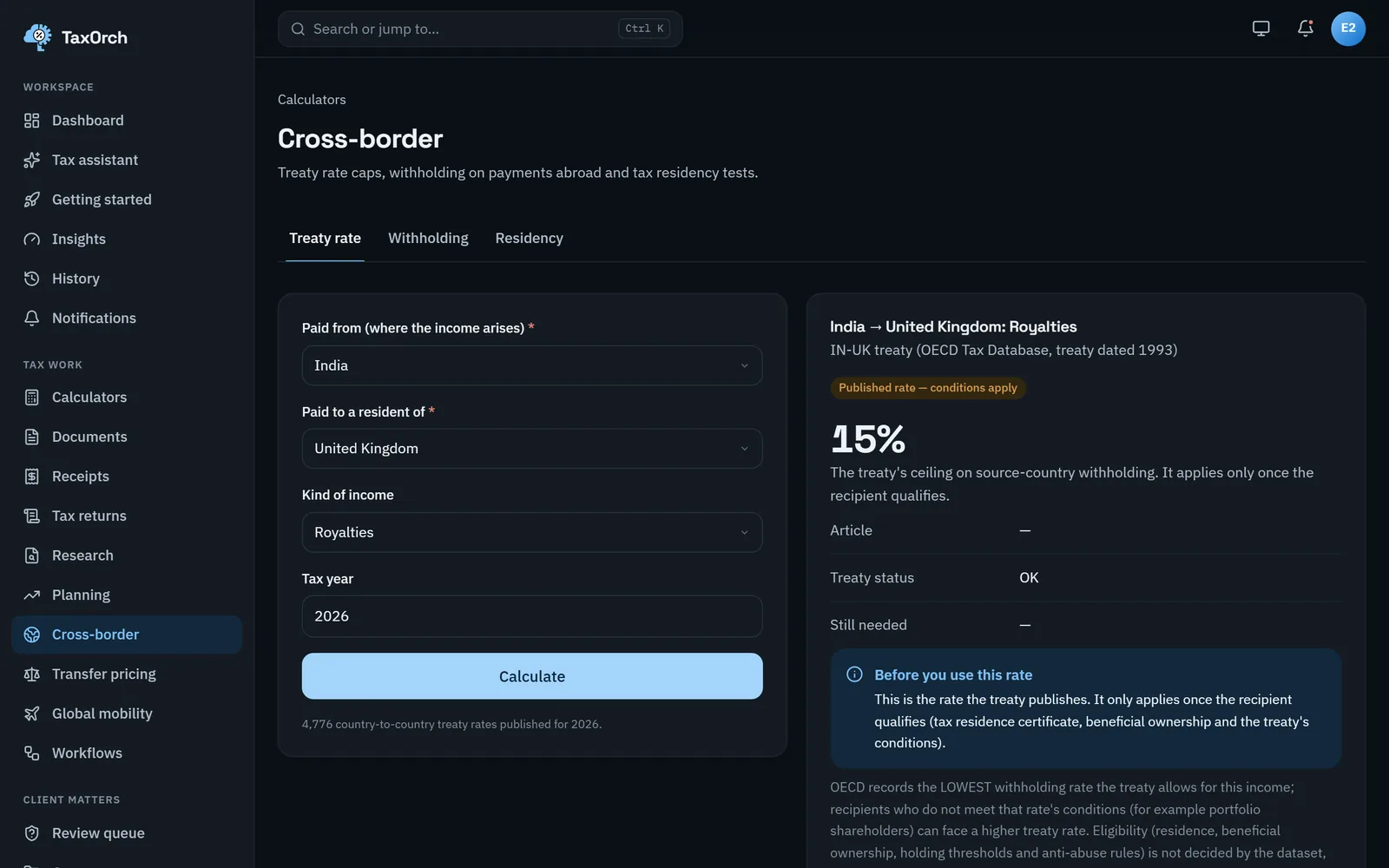
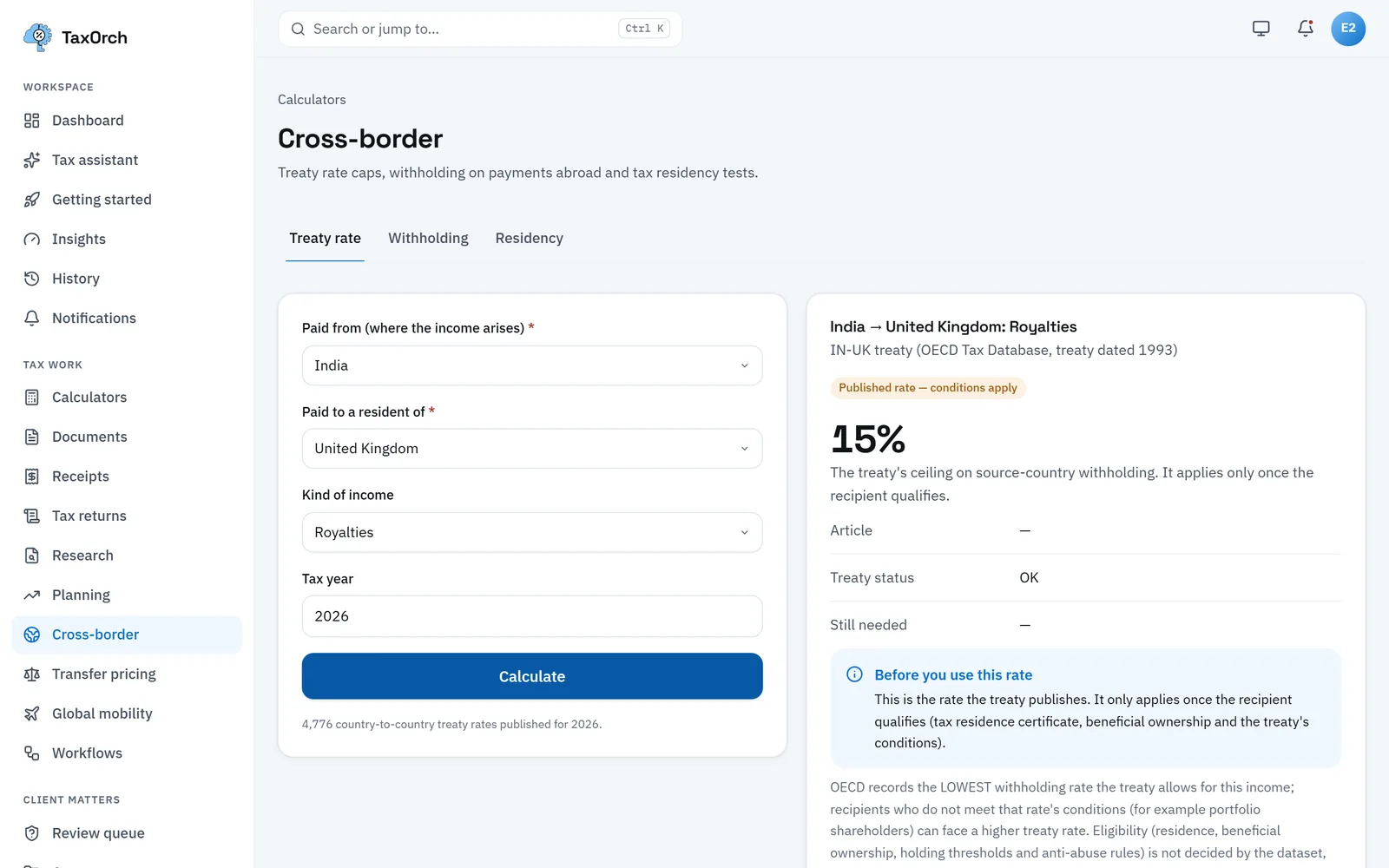
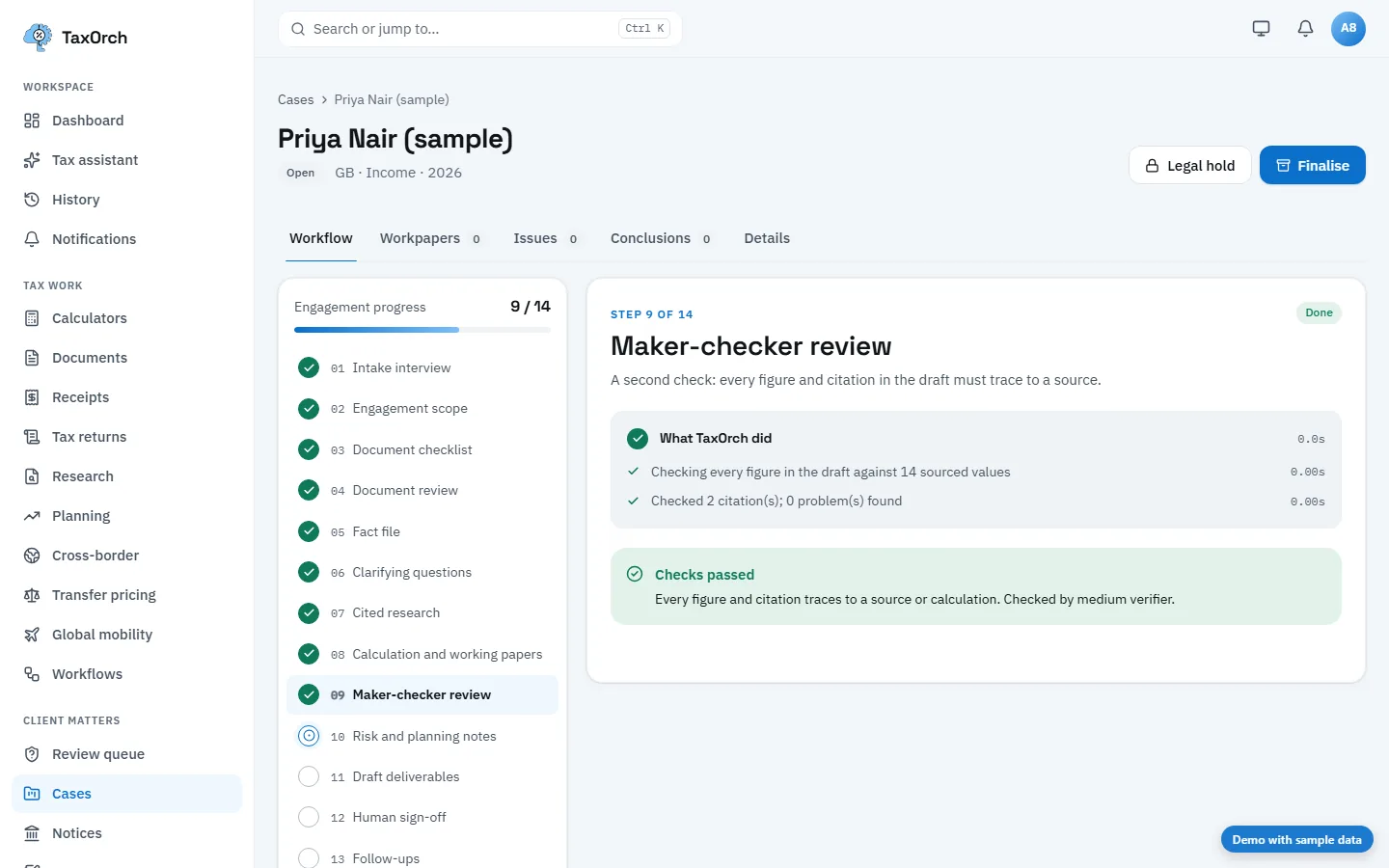
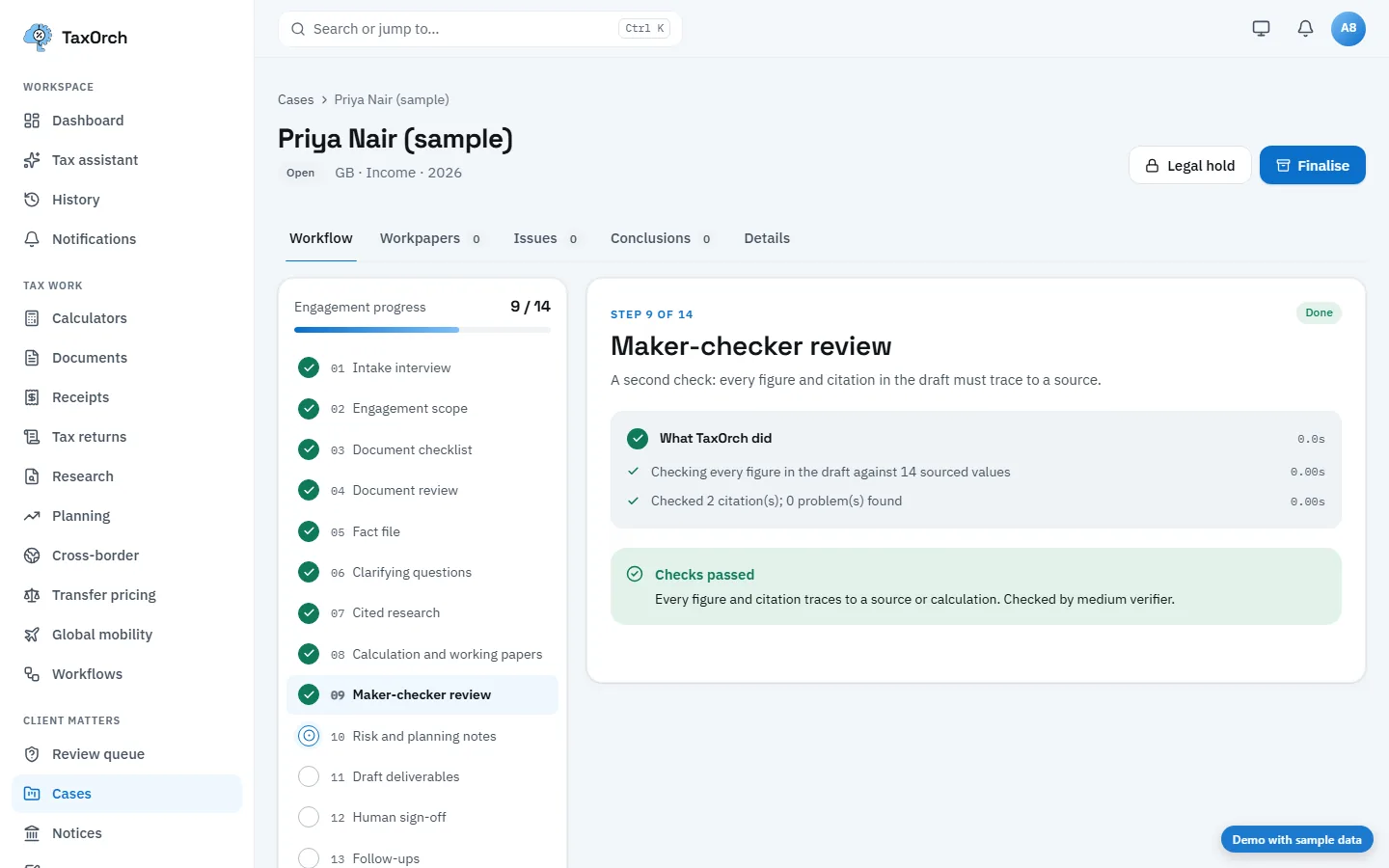
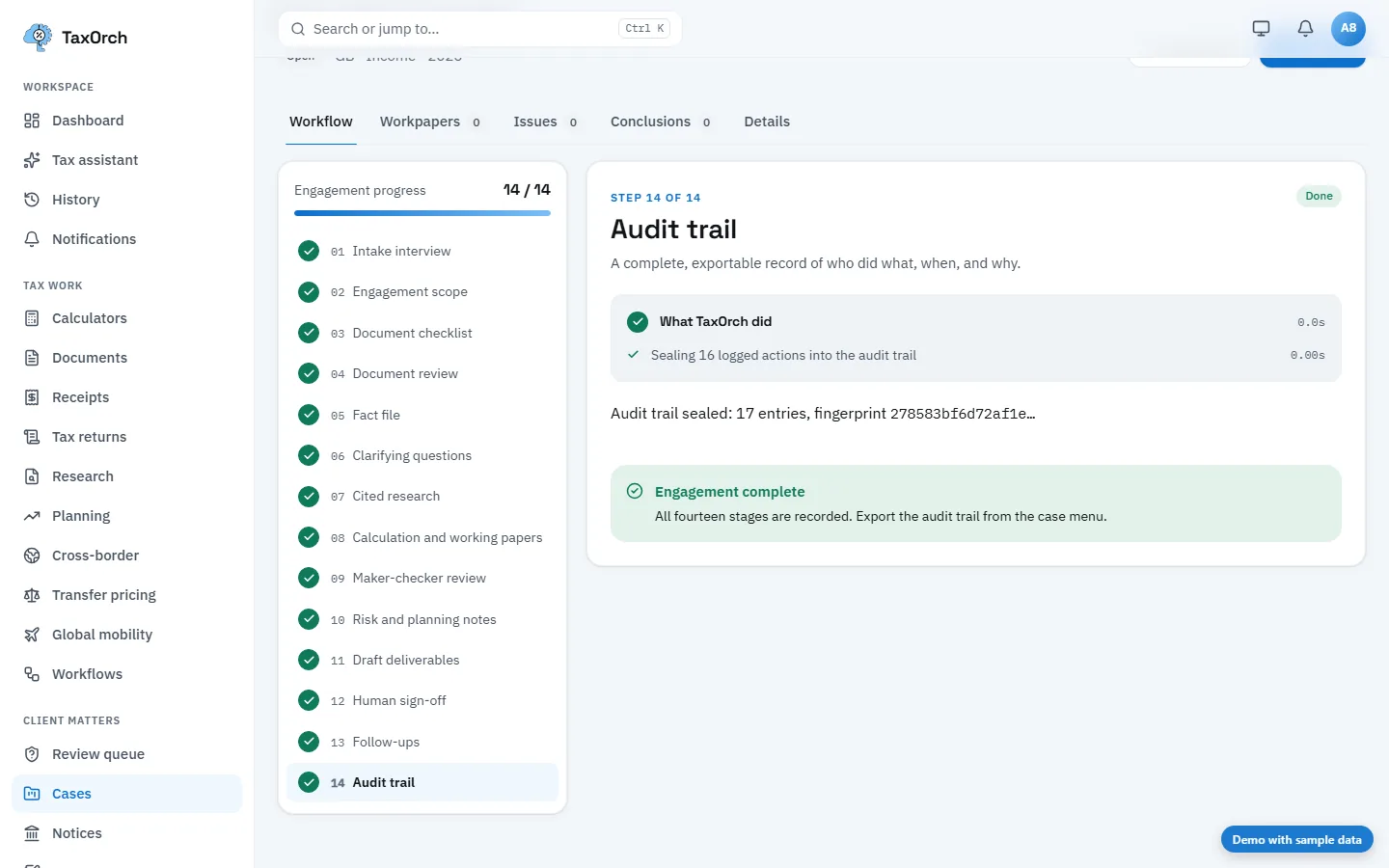
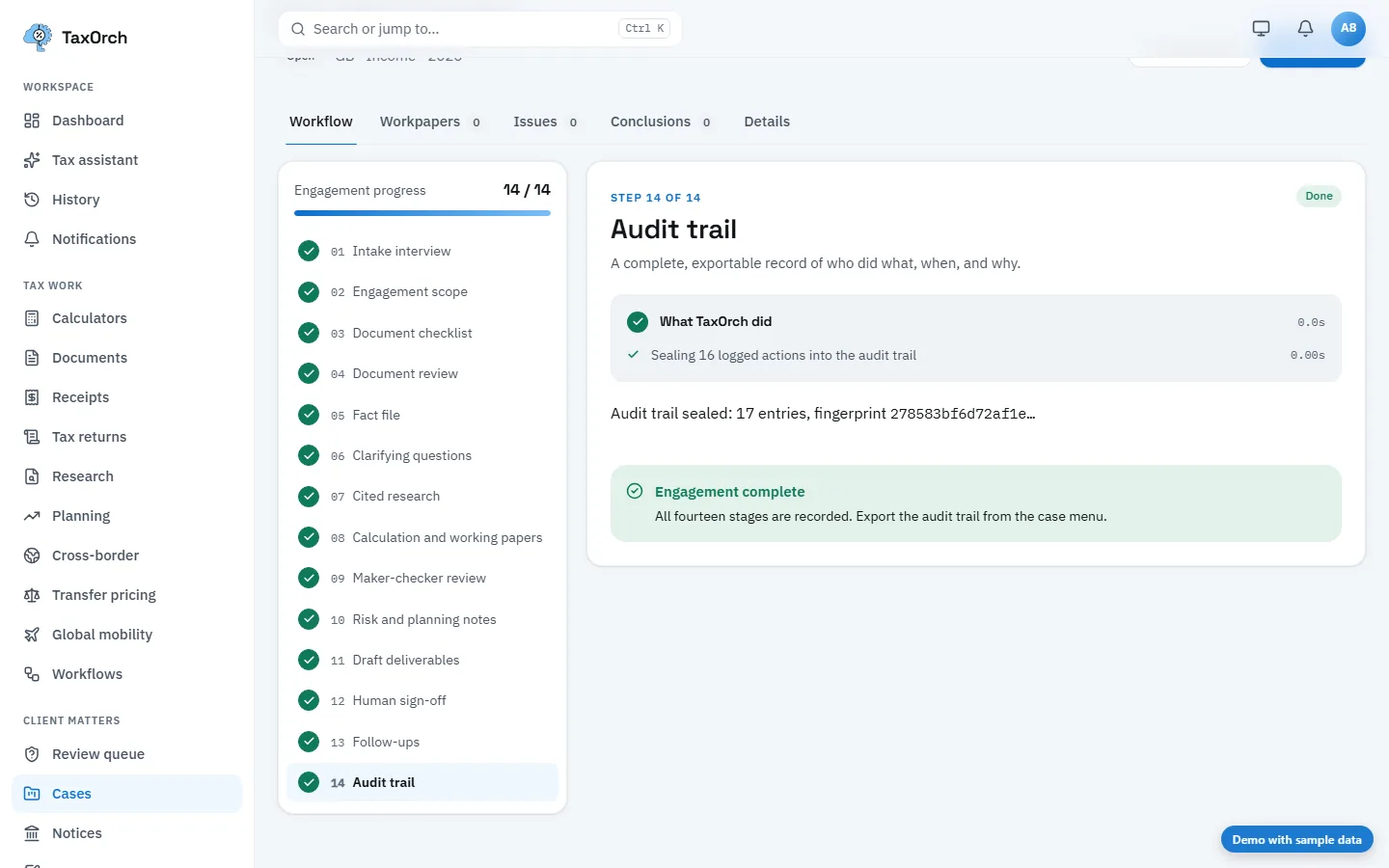
Is there a record of who did what?
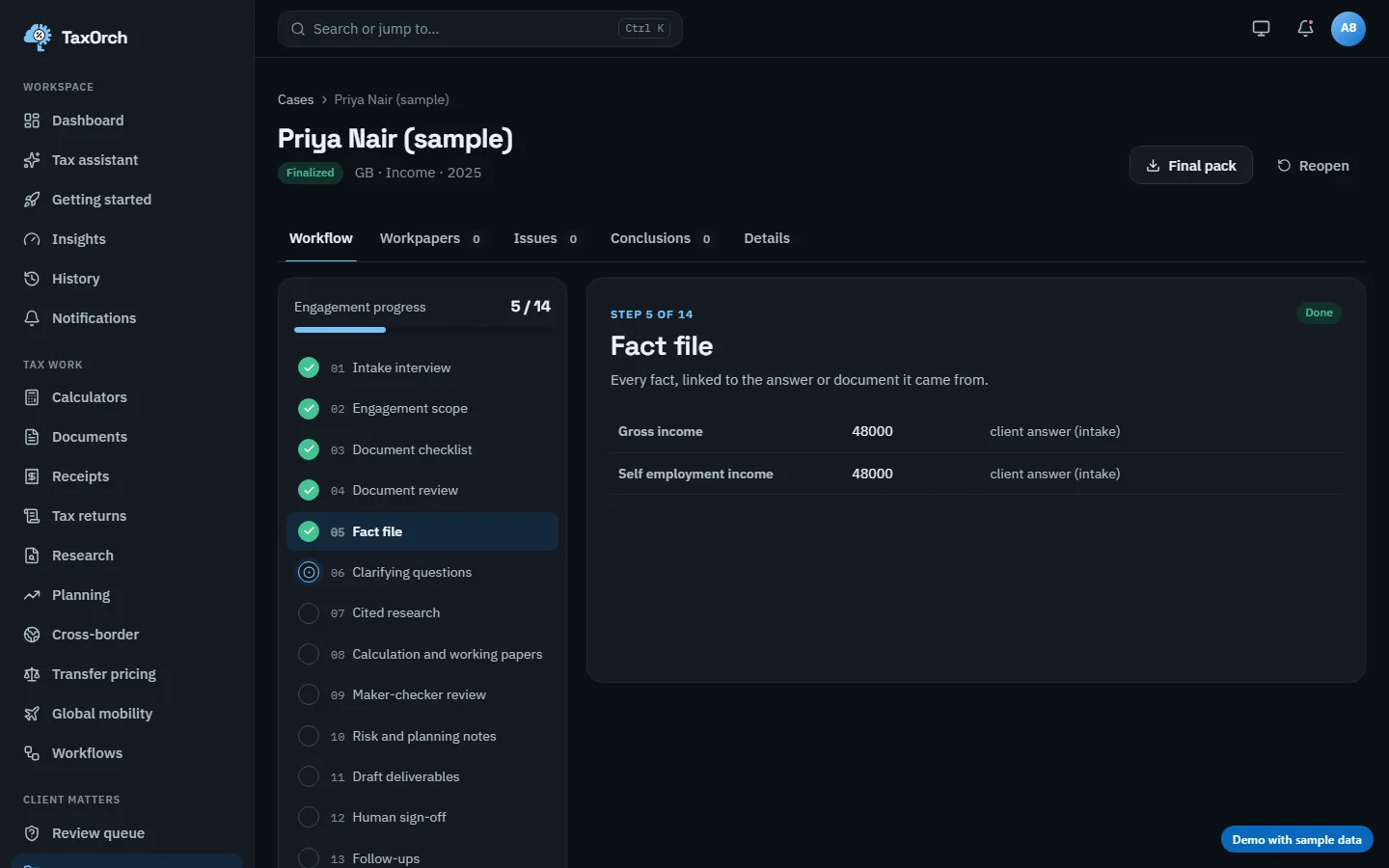
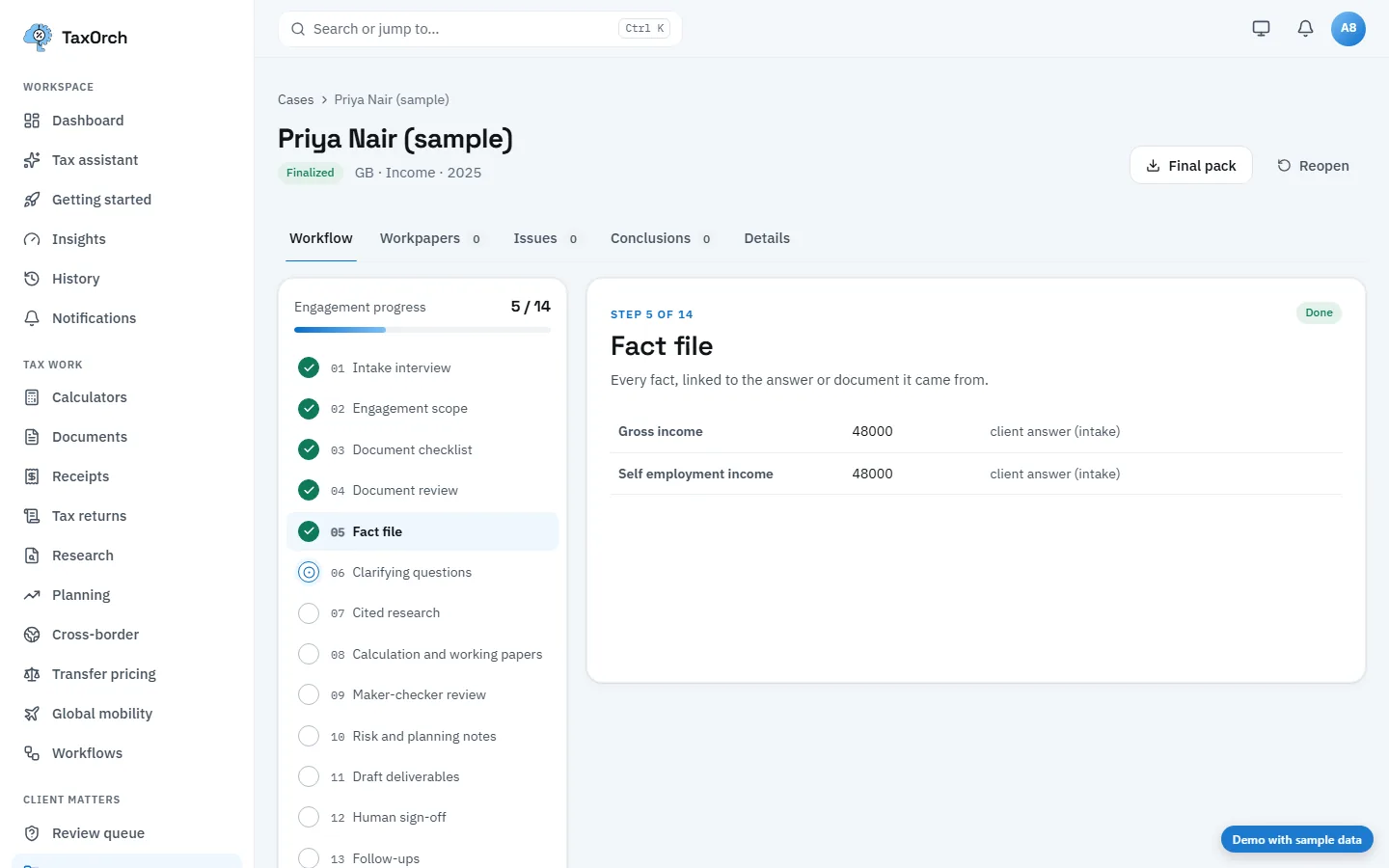
For client work you need the facts relied on, the evidence behind each one and the order things happened in. Ask to export the audit trail for a finished engagement.
Does a professional stay in charge?
High-risk or uncertain work should wait for a qualified person's sign-off, and the software should never file a return or move money on its own.
See every capability on one page: TaxOrch, working.
See it on your own work.
TaxOrch is offered as a White-label licence, priced on the clients and users it will serve. Every protection, from citations to the audit trail, is included.
Decision support, not tax advice. A professional reviews before anything is filed.